
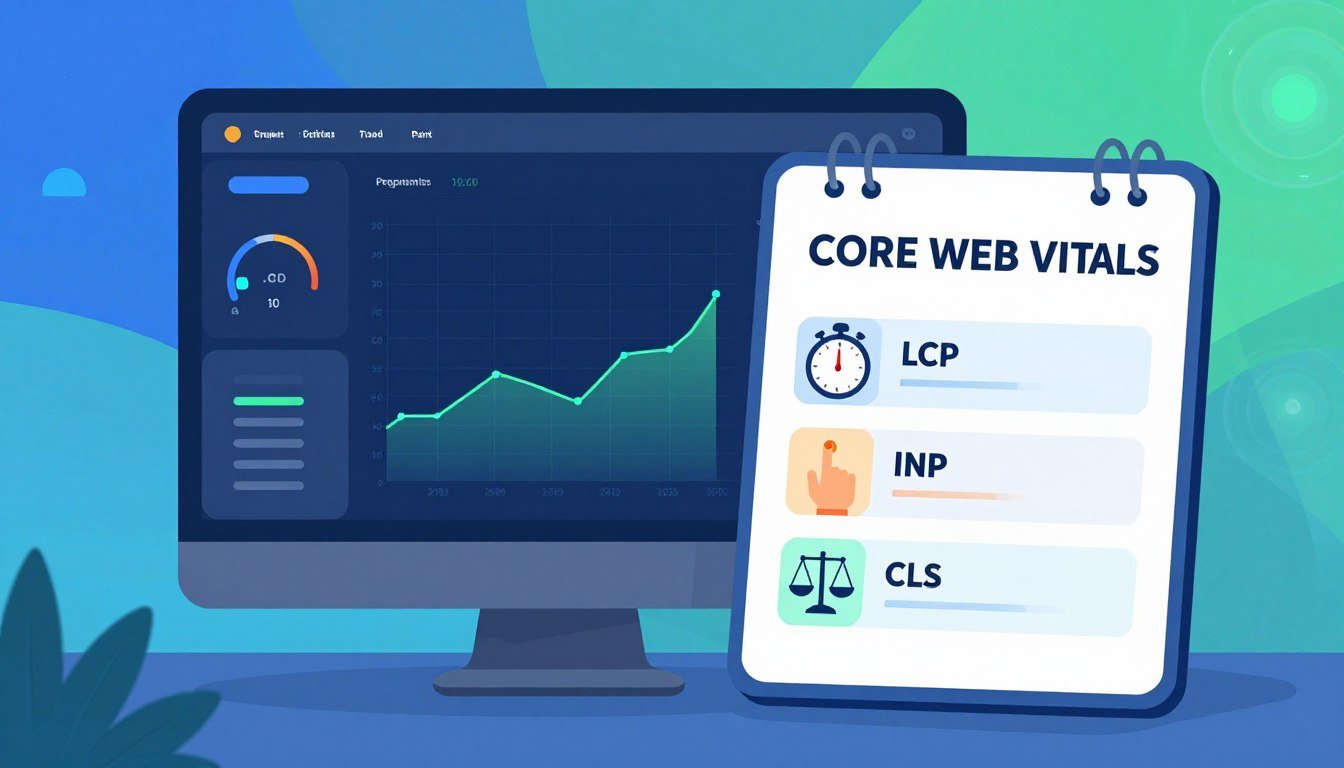
Core Web Vitals Basics: Proven Checklist to Improve LCP, INP, and CLS
Imagine clicking a link and waiting for it to load. But the screen stays blank, and your coffee gets cold. Then, the layout changes suddenly, taking you to the wrong page.
This aggravating scenario often makes people choose other websites. Google knows this is a big issue. They set up standards to make webpages smooth and easy to use for everyone.
Knowing what are Core Web Vitals is key to getting noticed online. These metrics check if a page loads fast and if it looks right while loading. Strategic optimization aims to make users happy by improving these areas.
Good performance is now a must for websites to succeed. If your site is slow or hard to use, you’ll lose visitors. Let’s look at how these technical needs affect your online presence.
Table of Contents
Key Takeaways
- These metrics measure page speed, interactivity, and visual stability for users.
- LCP tracks loading performance and should occur within 2.5 seconds.
- INP evaluates responsiveness to user actions like clicks or key presses.
- CLS measures unexpected layout shifts that cause a poor reading experience.
- Google Search Console provides the most reliable data for monitoring site health.
- Optimizing your site involves minifying code and managing third-party scripts.
Understanding Core Web Vitals
Core Web Vitals are key to checking how well a website works. They look at things like how fast a site loads, how well it responds to users, and how stable it looks. These are all important for a good user experience.
What Are Core Web Vitals?
Core Web Vitals measure how well a website works for users. They focus on three main things:
- Largest Contentful Paint (LCP): Shows when the main content of a webpage is loaded.
- Interaction to Next Paint (INP): Checks how fast a webpage reacts to user actions.
- Cumulative Layout Shift (CLS): Looks at how much the layout of a webpage changes unexpectedly.
These metrics are important because they affect how users see a website’s performance and ease of use.
Importance for Website Performance
Core Web Vitals are important because they affect how users feel about a website. A fast, interactive, and stable website keeps users happy and engaged. This is good for both the user and the website’s ranking on search engines.
| Metric | Impact on User Experience | SEO Implication |
|---|---|---|
| LCP | Faster loading times improve user engagement. | Better LCP scores can enhance search engine rankings. |
| INP | Quicker interactions lead to a more responsive website. | Improved INP can positively affect SEO rankings. |
| CLS | Reduced layout shifts create a more stable and predictable browsing experience. | A lower CLS score is associated with better SEO performance. |
By improving these Core Web Vitals, website owners can make their site better for users and boost its ranking on search engines.
Largest Contentful Paint (LCP)
The Largest Contentful Paint (LCP) measures how fast the biggest part of a web page shows up. It’s key to how well a site loads and affects user happiness.
LCP is a Core Web Vitals metric that looks at a page’s loading speed. It checks how fast the main content appears. A quicker LCP means users can start using the site faster, making them happier.
What Is LCP?
LCP tracks the time from when a page is requested to when the biggest element shows up. This is important because it shows how fast a page seems to load to users.
To better LCP, find out what big elements are slowing it down. These are often big images, large texts, or background pictures. Making these load fast is key for a good LCP score.
Ideal LCP Values
Google says an LCP of less than 2.5 seconds is good for users. This means your site loads fast enough to keep users interested. But, if it’s over 4 seconds, it’s bad and might make users leave quickly.
To get a great LCP, work on server speed, use browser caching, and reduce things that slow down the page. Using the right tools can really help find and fix LCP problems.
Tools to Measure LCP
Many tools can help with LCP. Google’s PageSpeed Insights is well-known for its detailed reports on LCP and other performance areas. Lighthouse and WebPageTest also give useful LCP insights and tips for bettering it.
By using these tools and working on LCP, you can make your site run better and be more enjoyable for users. Keep checking and tweaking to keep your LCP score up.
Input Delay (INP)
Core Web Vitals now include INP to measure how fast webpages react to user actions. This change highlights the need for quick responses in user experience.
Defining Input Delay
INP checks how quickly a webpage responds to actions like clicking or typing. It’s key because it affects how users see a website’s performance.
INP is found by looking at all user interactions on a webpage. It picks the worst case as the INP score. This gives a full view of a webpage’s quickness.
INP vs. First Input Delay (FID)
INP replaced FID as a Core Web Vital in March 2024. FID looked at the time from the first user action to the browser’s response. INP looks at all interactions, not just the first.
This change shows a deeper understanding of user experience. It shows that quickness is not just about the start but the whole visit.
Techniques to Optimize INP
To improve INP, several strategies are used. These include reducing main thread work, making event handlers efficient, and optimizing JavaScript.
| Technique | Description | Impact on INP |
|---|---|---|
| Minimize Main Thread Work | Reducing the work done on the main thread can significantly improve responsiveness. | High |
| Optimize Event Handlers | Ensuring event handlers are efficient and do not cause long tasks. | Medium |
| JavaScript Execution Optimization | Optimizing JavaScript code for better execution can reduce INP. | High |
By using these methods, developers can make webpages more responsive. This improves the user’s experience.
Cumulative Layout Shift (CLS)
Understanding Cumulative Layout Shift (CLS) is key to a smooth website experience. CLS measures unexpected layout shifts during webpage loading. A lower CLS score means a more stable page, keeping users engaged and happy.
Understanding CLS
Cumulative Layout Shift (CLS) is a Core Web Vitals metric that checks webpage visual stability. It sums up all layout shift scores for any unexpected changes during page loading. These shifts happen when elements move due to loading resources or user actions.
Google says, “Layout shifts can be distracting to users, making them less likely to stay on a page. A page with a low CLS score offers a smoother experience.”
“Layout shifts can be distracting to users…”
Calculating Your CLS Score
To find your CLS score, use tools like Google PageSpeed Insights or the Web Vitals Chrome extension. These tools check your webpage’s layout shifts and give a score. The score ranges from 0 to 1, with 0 being no shift and 1 being the worst.
A good CLS score is under 0.1. Scores from 0.1 to 0.25 need improvement, and above 0.25 are poor.
Tips to Reduce CLS
To lower CLS, try these strategies:
- Specifying dimensions for images and videos: Set width and height attributes for media to avoid shifts.
- Avoiding inserting new content above existing content: Reserve space for dynamic content or load it without shifts.
- Using CSS transforms: Animations with CSS transforms don’t cause shifts, unlike those changing layout properties.
By using these tips, you can boost your website’s CLS score. This improves the user experience greatly.
Why Core Web Vitals Matter for SEO
Google is always updating its algorithms, making Core Web Vitals very important for SEO. These metrics help Google see how good a website is for users. This affects how well a site ranks and how visible it is.
Core Web Vitals are part of Google’s page experience ranking signals. This means they are key in how search engines rank websites. By improving these vitals, site owners can make their sites better for users. This can also help their site rank higher in search results.
The SEO Connection
Core Web Vitals and SEO are connected because Google wants to make search better for users. By working on metrics like Largest Contentful Paint (LCP), Interaction to Next Paint (INP), and Cumulative Layout Shift (CLS), site owners can make their sites better. This makes the site more enjoyable for users.
This can also lead to improved engagement metrics. For example, users might stay longer and not leave as quickly. Search engines look at these metrics too when deciding how to rank sites.
Ranking Factors That Matter
Core Web Vitals are just one thing that affects how well a site ranks. But they are getting more important. By focusing on these, site owners can stand out more in search results.
- Largest Contentful Paint (LCP) affects how quickly users can access the main content of a webpage.
- Interaction to Next Paint (INP) measures the responsiveness of a website to user interactions.
- Cumulative Layout Shift (CLS) evaluates the visual stability of a webpage as it loads.
By improving Core Web Vitals, site owners can make their sites better. This can make the site more enjoyable for users. It can also help the site rank higher in search results.
Tools for Measuring Core Web Vitals
To measure and improve Core Web Vitals, you need the right tools. These tools give you insights into your website’s performance. They help you find areas that need work.
Google PageSpeed Insights
Google PageSpeed Insights is a top choice for checking Core Web Vitals. It looks at your site’s performance on desktop and mobile. It gives you a detailed report on LCP, INP, and CLS scores. You can find it on the Google PageSpeed Insights website.
For more info on testing and monitoring tools, check out this resource.
Lighthouse and Web Vitals Extension
Lighthouse is a Google-made tool for checking your site’s performance and more. The Web Vitals Extension gives you instant feedback on your site’s Core Web Vitals. Both tools are great for spotting and fixing problems.
| Tool | Features | Benefits |
|---|---|---|
| Google PageSpeed Insights | LCP, INP, CLS analysis; desktop and mobile testing | Comprehensive performance report; easy to use |
| Lighthouse | Performance, accessibility, and best practices audits | Detailed audit reports; identifies areas for improvement |
| Web Vitals Extension | Real-time Core Web Vitals feedback | Instant performance insights; easy to integrate |
Common Errors in Core Web Vitals
Core Web Vitals analysis helps find and fix website performance problems. Issues like slow Largest Contentful Paint (LCP), poor Interaction to Next Paint (INP), and high Cumulative Layout Shift (CLS) need attention. Fixing these problems is key to better user experience.
Identifying LCP Issues
LCP measures how fast the biggest content element shows up in the viewport. Slow LCP hurts user experience. Common problems include:
- Slow server response times: Make sure your server answers quickly.
- Render-blocking JavaScript and CSS: Make your code run smoother. Check out this guide for fixing Core Web Vitals issues.
- Slow resource load times: Speed up images and other resources.
To better LCP, work on these areas. For example, using a content delivery network (CDN) can cut down server response times.
Tackling INP Problems
INP checks how fast a site responds to user actions. Bad INP makes users unhappy. Common reasons include:
- Excessive JavaScript execution: Split big tasks into smaller ones.
- Poorly optimized code: Improve your JavaScript for better speed.
- Main thread blocking: Keep your main thread free from heavy tasks.
Fixing these problems can greatly improve your site’s INP and user experience.
Tips for Enhancing User Experience
A smooth user experience is key to a website’s success. It boosts engagement and conversion rates. To improve user experience, focus on making navigation easy and quick. These steps help keep users interested and active.
Streamlining Navigation
Navigation should be straightforward for users to find what they need. Simple and intuitive navigation is essential for a good user experience. Here’s how to achieve it:
- Simplify menu options and organize content well
- Use clear and short labels for menu items
- Have a search function to help users find specific content fast
This approach can lower bounce rates and boost user interaction.
Improving Load Times
Fast load times are vital for a better user experience. Fast-loading websites make users happier and help with search rankings. Here are ways to speed up your site:
- Optimize images and compress files
- Use browser caching and reduce HTTP requests
- Employ content delivery networks (CDNs) to cut down latency
By working on these areas, websites can greatly improve user experience. This leads to more engagement and sales. Plus, keeping up with Core Web Vitals is an ongoing task that needs constant effort.
Core Web Vitals and Mobile Optimization
Mobile optimization is now a must for websites wanting to boost their Core Web Vitals. Most web traffic comes from mobile devices. So, making sure your site works well on mobile is key.
Importance of Mobile-Friendliness
A website that works well on mobile is vital for a great user experience. It’s not just about being accessible on mobile. You need to optimize for mobile’s unique features, like smaller screens and touch interfaces.
Key aspects of mobile-friendliness include:
- Responsive design that adapts to various screen sizes
- Fast load times, even on slower mobile networks
- Easy navigation and interaction elements
Best Practices for Mobile Sites
To make your mobile site better for Core Web Vitals, follow these tips:
- Optimizing images and media: Make images and videos smaller without losing quality.
- Minimizing CSS and JavaScript: Less code means faster pages.
- Leveraging browser caching: Let browsers store common resources to avoid repeated downloads.
By using these methods, your mobile site can get better Core Web Vitals. This leads to a better user experience and might even help your search engine rankings.
Monitoring Core Web Vitals Over Time
Monitoring Core Web Vitals over time is key to a great user experience. It helps you spot areas for improvement and make smart decisions to boost your site’s performance.
Regular checks show how your site’s performance changes, like after big updates. It’s like a health check for your website, keeping it optimized and user-friendly.
Setting Up Monitoring Tools
The first step is to pick the right tools. Google offers tools like Google PageSpeed Insights and the Web Vitals Extension. These tools give you detailed insights into your site’s performance.
To start, use the Web Vitals Extension for real-time monitoring. It gives you quick feedback on your site’s performance, helping you spot problems fast.
Analyzing Trends and Patterns
After setting up your tools, analyze the data for trends and patterns. Regularly check your Core Web Vitals metrics to see how your site’s performance changes.
Look for patterns that might show underlying issues. For example, a spike in LCP could mean server or resource problems. By spotting these patterns, you can fix the issues and improve your site’s performance.
Good analysis of Core Web Vitals data helps you keep your site performing well. It’s a continuous effort, but it’s worth it for a great user experience.
The Future of Core Web Vitals
Web technologies are always changing, and so is Core Web Vitals. It’s vital to keep up with these changes. They affect how we make websites better for users.
Core Web Vitals metrics can change over time. New technologies and how people use the web can lead to updates. For example, new or improved metrics like LCP, INP, and CLS can change how we optimize websites.
Evolving Metrics
Core Web Vitals metrics evolve with the web. New web technologies and standards mean changes to existing metrics. For example, metrics like INP are becoming key as they show how fast a website feels to users.
“The future of web performance is not just about speed; it’s about creating a seamless, interactive experience.” This shows why we need to keep improving how we measure user experience.
Emerging Trends to Watch
Several trends will shape the future of Core Web Vitals. These include new web tech, changes in user behavior, and the rise of mobile optimization. As voice search and AI use grow, we’ll need to adjust how we measure and improve Core Web Vitals.
To stay ahead, developers and website owners must watch for updates to Core Web Vitals. They need to adjust their strategies. The Core Web Vitals importance is huge. They are key to a website’s performance and user happiness.
Conclusion
Learning about Core Web Vitals is key to a great user experience. By knowing how to improve, your website can work better.
Key Takeaways
Improving Core Web Vitals needs a full plan. You must know the metrics, find what needs work, and make changes. Always check your site to keep users happy and see the good results of your efforts.
Implementation Roadmap
To boost your Core Web Vitals, start with Largest Contentful Paint, Input Delay, and Cumulative Layout Shift. Use tools like Google PageSpeed Insights and Lighthouse to see how you’re doing. Keep working on your site to make sure users have a good time.