Best Pinterest Scheduling Tool 2026: Pin Scheduling Tools Compared
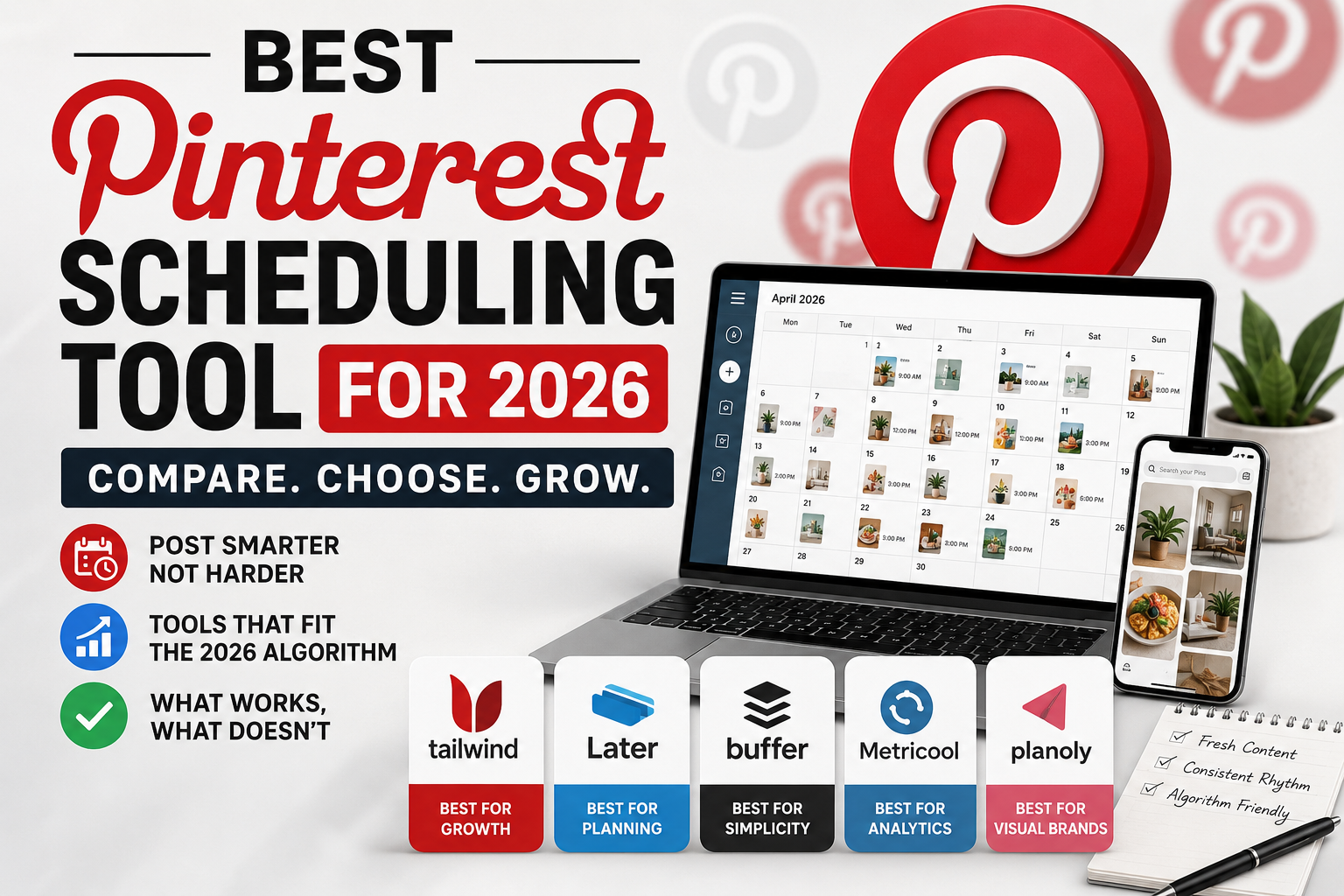
Pinterest changed its rules in 2026, and a lot of the scheduling advice floating around the internet hasn’t caught up. If you’re still batch-scheduling thirty pins on a Sunday night and walking away for two weeks, you’re feeding the platform exactly the pattern it now flags as churn-and-burn. Picking the best Pinterest scheduling tool 2026 has to offer isn’t about which app has the prettiest calendar anymore — it’s about which one actually helps you post fresh, native-feeling content on a rhythm the algorithm rewards.
This is a straight comparison of the scheduling tools affiliates are actually using right now, what each one does well, where it falls short, and who should use which. No affiliate-link fluff, no “this one tool changed my life” nonsense — just what to expect if you sign up.
In This Article
What Changed With Pinterest’s 2026 Update
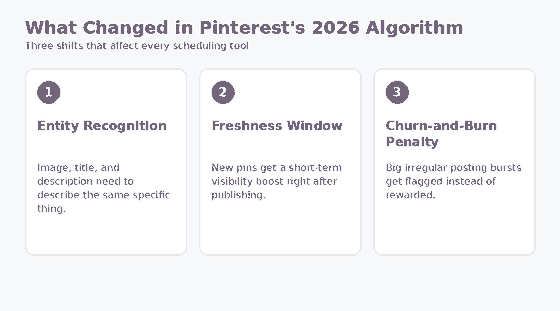
Before comparing tools, it’s worth being clear on what you’re now optimizing for. Pinterest’s newer ranking signals lean harder on entity recognition (does your pin’s image, title, and description all describe the same specific thing consistently), a short freshness window after publishing where new pins get a visibility boost, and active penalties for accounts that post in big irregular bursts rather than a steady drip, a dynamic Pinterest documents in its own guidance on pin performance and distribution.
That last point is the one that matters most for tool selection. A scheduler that makes it easy to queue 40 pins in one sitting and forget about your board for three weeks is now working against you. What you want is a tool that makes it just as easy to spread that same batch of content across several weeks in small, steady drops.
The Tools, Compared
Native Pinterest Scheduler
Pinterest’s own built-in scheduler (inside Pinterest Business, via the “Create Pin” flow) lets you queue pins up to two weeks out for free. It’s the most direct route to the platform’s own ranking signals since there’s no third-party layer in between, and there’s no risk of API rate limits or sync delays. The tradeoff is that it’s genuinely basic: no bulk CSV upload, no content calendar view across boards, and no analytics beyond what Pinterest Analytics already shows you.
Best for: small accounts posting fewer than 10–15 pins a week who don’t need a visual calendar.
Tailwind
Tailwind has been the default third-party Pinterest scheduler for years, and it’s adapted its “SmartSchedule” feature to spread posting times across a longer window rather than clustering them, which lines up well with the anti-churn-and-burn shift. It also has board lists, hashtag/keyword suggestions inside the pin creator, and a browser extension for pinning directly from a blog post. The interface can feel cluttered if you’re only using a fraction of its features, and it’s built around a monthly pin-credit system, so heavy posters may need to watch their plan tier.
Best for: affiliates managing multiple boards and niches who want built-in pacing tools.
Later
Later started as an Instagram-first tool and has built out solid Pinterest support, including a visual drag-and-drop calendar that makes it easy to eyeball your posting cadence at a glance — useful for catching an accidental pin pile-up before it becomes a penalty. It supports multiple platforms in one dashboard, which is handy if you’re also repurposing pins to Instagram or Facebook. Pinterest-specific features (like board-list scheduling) are less deep than Tailwind’s.
Best for: affiliates who schedule Pinterest alongside other social platforms and want one shared calendar.
Metricool
Metricool covers Pinterest scheduling plus fairly detailed analytics, competitor tracking, and a free tier that’s usable for smaller accounts. It’s a good option if you want scheduling and reporting in the same place without paying for two separate subscriptions. The Pinterest-specific workflow (idea pin support, board list management) is a step behind Tailwind’s more mature toolset.
Best for: affiliates who want scheduling and analytics bundled, especially on a tighter budget.
Planoly
Planoly’s Pinterest tools include a content calendar, basic analytics, and a “Creator” plan aimed at people managing pins alongside Instagram and TikTok content. Its Pinterest feature set is comparatively lighter than the dedicated Pinterest-first tools, but the interface is simple enough that it doesn’t take long to learn.
Best for: beginners who want a low-friction, visual scheduling experience without a steep learning curve.
Buffer
Buffer added Pinterest support after years of being Twitter/Instagram-focused, and it shows: scheduling works fine, but there’s no dedicated board-list rotation or Pinterest-specific keyword tooling the way Tailwind offers. What Buffer does well is simplicity — a clean queue, straightforward analytics, and a UI that doesn’t require a learning curve. If Pinterest is one of four platforms you’re posting to and you don’t want a separate specialized tool just for pins, Buffer is a reasonable middle ground.
Best for: affiliates who want Pinterest folded into an existing multi-platform workflow without added complexity.
SocialBee
SocialBee leans on content categories and recycling rules, letting you group evergreen pins into buckets and set rules for how often each bucket gets reposted. That recycling approach needs to be used carefully post-2026-update — reposting the exact same pin on a tight loop can look a lot like the churn-and-burn pattern Pinterest is now watching for. Used with wider gaps between recycles and a mix of fresh pin designs, it still has a place, but it requires more manual pacing discipline than a tool built Pinterest-first.
Best for: affiliates with a large evergreen content library who are comfortable manually managing recycle frequency.
Table: Quick Comparison
| Tool | Pinterest Focus | Calendar View | Analytics Depth | Best For |
|---|---|---|---|---|
| Native Scheduler | Highest | No | Basic | Small accounts, free |
| Tailwind | Highest (3rd party) | Yes | Strong | Multi-board affiliates |
| Later | Medium | Yes (drag-and-drop) | Medium | Cross-platform posting |
| Metricool | Medium | Yes | Strong | Budget-conscious, wants analytics |
| Planoly | Lower | Yes | Basic | Beginners |
| Buffer | Lower | Yes | Basic-Medium | Multi-platform simplicity |
| SocialBee | Medium | Yes | Medium | Large evergreen libraries |
None of these tools do the pacing work for you automatically in a way that guarantees compliance with Pinterest’s freshness signals — they just make good pacing easier or harder to execute. The discipline still has to come from you: spread your posting out, mix in genuinely new pin designs rather than just recycled links, and resist the urge to disappear for a month and then dump a huge backlog all at once.
What to Prioritize When Choosing
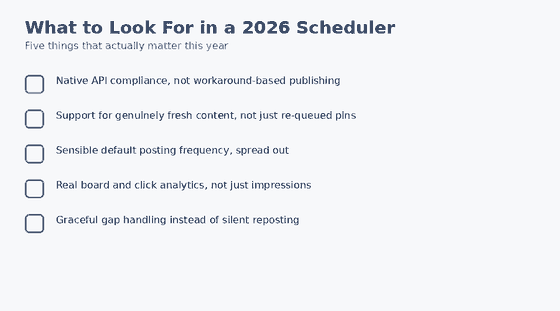
Whichever tool you land on, a few things matter more in 2026 than they used to:
- Pacing controls. Can the tool spread pins evenly across days and weeks, or does it just dump everything into the next available slot?
- Fresh-pin support. Does it make it easy to create new pin designs (not just reused image links) so you’re not relying on the same graphic over and over?
- Board list management. Posting the same pin to a rotating set of relevant boards over time, rather than all boards at once, still works — most tools handle this differently.
- Cost relative to volume. If you’re only posting a handful of pins a week, a paid tool with a large pin allowance is wasted money. The native scheduler or a free tier may be enough.
If you’re not sure your pin designs themselves are pulling their weight regardless of which scheduler you pick, it’s worth taking a look at pin templates that actually get clicks before you invest in a paid scheduling subscription — a better-performing pin design will move the needle more than shaving a few minutes off your scheduling workflow.
A Simple Way to Decide
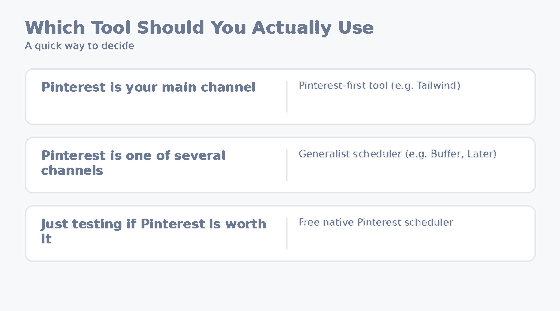
If you’re posting under 15 pins a week and don’t need cross-platform scheduling, start with the native Pinterest scheduler — it’s free and keeps things simple. If you’re running multiple niche boards and want smarter pacing plus keyword suggestions, Tailwind is the more mature option. If you’re already juggling Instagram or TikTok scheduling and want one dashboard, Later or Metricool make more sense than adding a Pinterest-only tool to your stack.
FAQ
Do I need a paid scheduling tool to succeed on Pinterest in 2026?
No. The native scheduler is free and directly connected to Pinterest’s own systems. Paid tools add convenience — bulk scheduling, analytics, cross-platform posting — but they’re not required to rank well.
Will scheduling tools get my account penalized under the new algorithm?
The tool itself isn’t the problem; the posting pattern is. A scheduler used to post 40 pins in one burst and then go quiet for weeks can contribute to a churn-and-burn pattern. The same tool used to space out steady, smaller batches works in your favor.
How many pins should I schedule per week as an affiliate?
There’s no single right number, but consistency matters more than volume. A steady handful of fresh pins spread across the week tends to perform better than an irregular mix of large bursts and long gaps.
Can I switch scheduling tools without hurting my existing pins?
Yes. Scheduling tools don’t own your pins or boards — they’re just a posting interface connected to your Pinterest account. Switching tools doesn’t affect pins that are already live.
None of these tools will fix a weak pin design or an offer nobody wants — but the right one will make it easier to keep a steady, algorithm-friendly posting rhythm without babysitting Pinterest every day.