
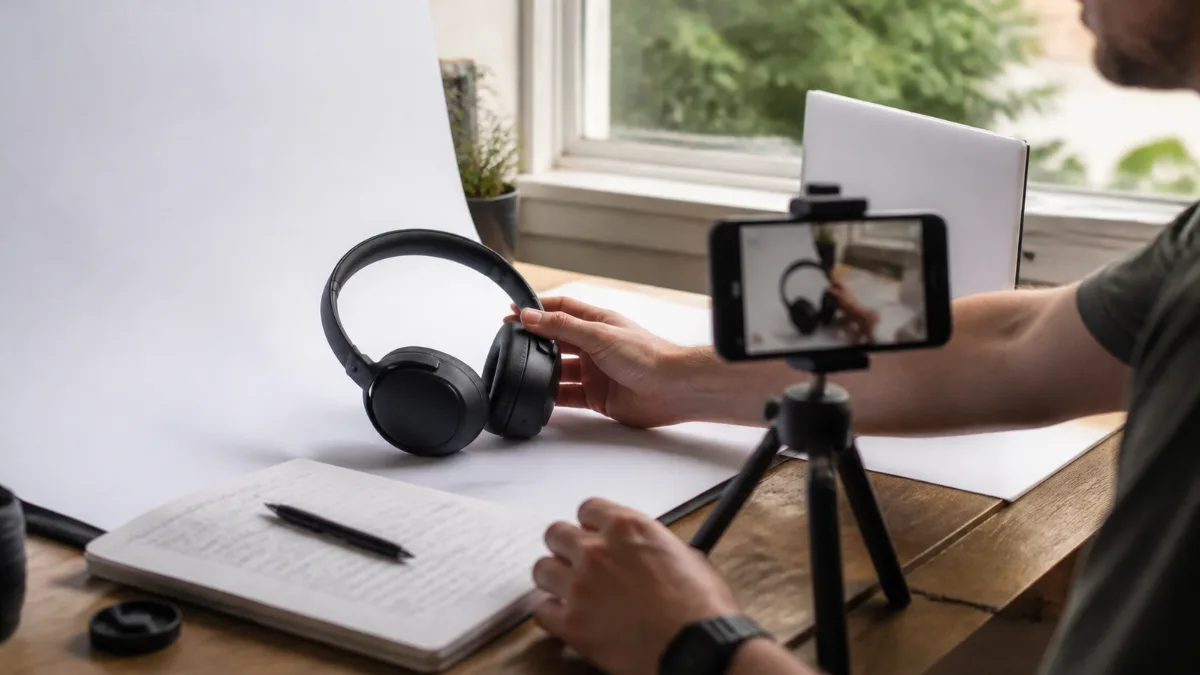
Affiliate Product Photography: 7 Honest Shots Readers Trust
Affiliate product photography has quietly changed jobs. It used to be decoration: a manufacturer render dropped between paragraphs so the page didn’t look like a wall of text. Today, your own photos are the most visible proof that you actually held, used, and measured the thing you are recommending. Readers notice the difference instantly, and Google’s guidance on reviews explicitly asks for that kind of evidence.
The good news is that you don’t need a studio, a mirrorless camera, or a design budget. You need a plan for what to shoot, a simple setup for how to shoot it, and a few habits that keep your images honest, fast, and compliant. This guide covers all three, including the Amazon image rules that trip up a lot of new affiliates.
Table of Contents
Why Affiliate Product Photography Is Now Evidence, Not Decoration
Google’s documentation on writing high quality reviews recommends that reviewers provide evidence such as visuals, audio, or other links that show their own experience with the product, and that they share quantitative measurements of how it performs. Photos are the most practical way for most affiliate sites to meet both recommendations at once.
It helps to be precise about what photos can and can’t do. They are not a ranking switch, and no plugin score or alt-text trick turns a thin review into a helpful one. What original images do is make your first-hand claims checkable. When you write that a backpack’s laptop sleeve is snug for a 16-inch machine, a photo of that exact laptop sliding into that sleeve turns an assertion into evidence. Stock images and manufacturer renders can’t do that, because they show the product as the brand wants it seen, not as you experienced it.
This connects directly to experience signals more broadly. As we explain in why fake affiliate bylines fail under E-E-A-T, claiming experience in prose is easy to fake; showing it is much harder. Your camera roll is where that difference becomes visible.
The 7-Shot Evidence List: What to Photograph for Every Review
Most weak review images fail because they answer no question. A pretty hero shot on a white background tells readers the product exists; it doesn’t help them decide. Instead of shooting whatever looks nice, shoot to answer the questions a cautious buyer actually has. These seven shots cover the decision points for most physical products.
| Shot | What it proves | Reader question it answers |
|---|---|---|
| 1. Scale in hand or in place | Real size, not catalog size | “Will it fit my hand, desk, bag, or shelf?” |
| 2. Everything in the box | Actual contents and accessories | “What do I get, and what do I have to buy separately?” |
| 3. In use, in a real setting | You used it for its intended job | “What does it look like when I’m actually using it?” |
| 4. The deciding detail | A feature that separates it from rivals | “Is that hinge, seam, port, or button any good?” |
| 5. A measurement | A number you recorded yourself | “How bright, quiet, heavy, or fast is it, really?” |
| 6. A flaw or wear point | You are not hiding the downsides | “What will annoy me after a month?” |
| 7. Side by side with an alternative | You compared, not just described | “Why this one instead of the other one?” |
Two of these deserve extra attention because they do the most persuasive work. The measurement shot is where your review stops sounding like everyone else’s. Put a kitchen scale under a “lightweight” tripod, a tape measure against a “compact” monitor arm, or a phone light meter app next to a desk lamp, and photograph the reading. The number is the point; the photo proves you didn’t copy it from the spec sheet.
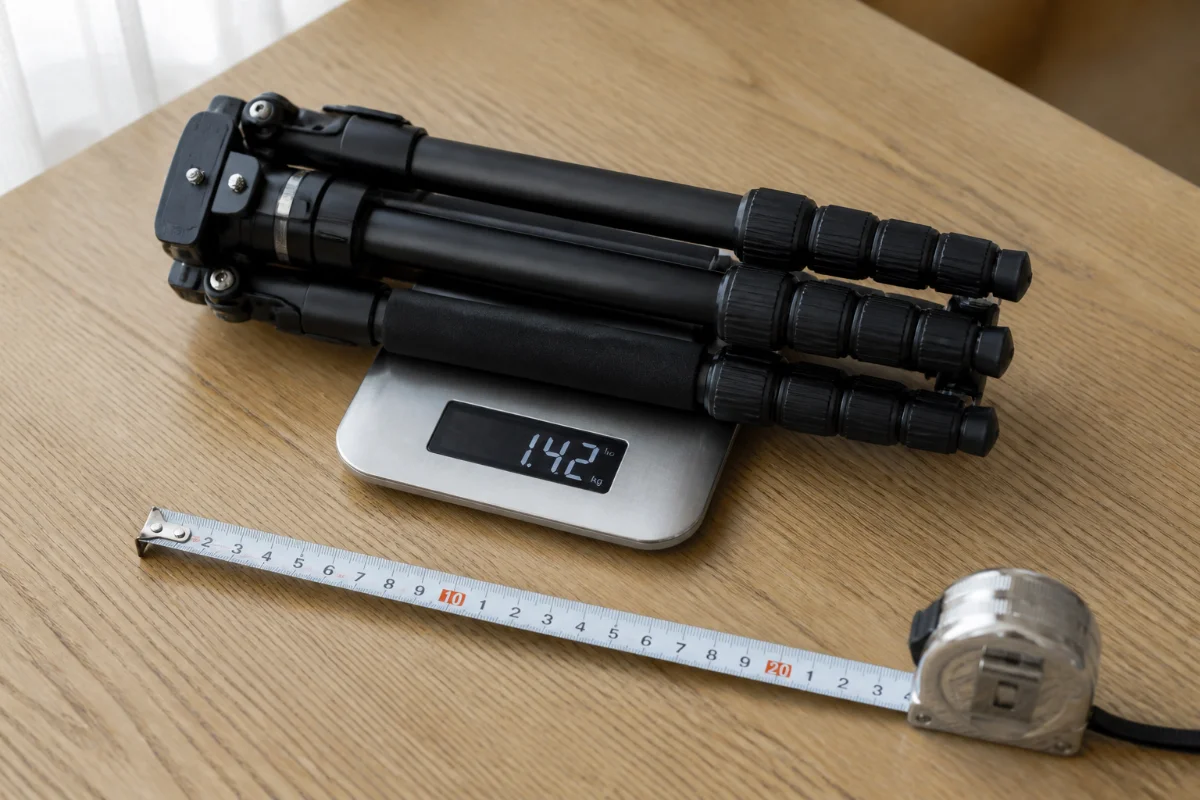
The flaw shot feels counterintuitive on a page that earns commission, but it is a trust multiplier. A scuffed coating after three weeks, a cable that’s shorter than it looks, or a clip that doesn’t quite grip a thick case tells readers you’re on their side. It also protects you: a reader who knew about the weakness in advance is far less likely to feel misled.
Not every product needs all seven. Software and digital products swap physical shots for annotated screenshots of real dashboards, settings, and results. Very large items, such as furniture or appliances, may need wider room shots and fewer close-ups. Treat the list as a checklist to question, not a quota to fill.
A Near-Zero-Budget Setup That Works Indoors
A recent smartphone is more than enough camera for review photography. What separates usable shots from amateurish ones is almost always light, background, and stability, not megapixels.
Light: one window, used deliberately
Set a table beside a window so daylight hits the product from the side, roughly 45 to 90 degrees from your camera, rather than from behind it. Avoid direct sun, which creates harsh highlights and inky shadows; a sheer curtain, parchment paper, or a frosted shower curtain taped over the glass softens it. Then turn off the ceiling lights. Warm bulbs and cool daylight together give you two colors of light on one product, and no single white balance setting can correct both.
Background and fill: cheap boards do the heavy lifting
A sheet of white poster board curved from the table up against a wall creates a seamless “sweep” with no horizon line. Place a white foam board on the side opposite the window to bounce light back into the shadows. For dark or premium-looking products, swap in black card and skip the fill board to keep the mood.
Stability and phone settings
Mount the phone on a tripod and use the self-timer or a Bluetooth remote so pressing the shutter doesn’t shake the frame. Use the main lens instead of digital zoom, tap to focus on the most important detail, and lock exposure so the phone doesn’t brighten or darken between shots. Keep the camera fixed and rotate the product to change angles; your whole set will look consistent.
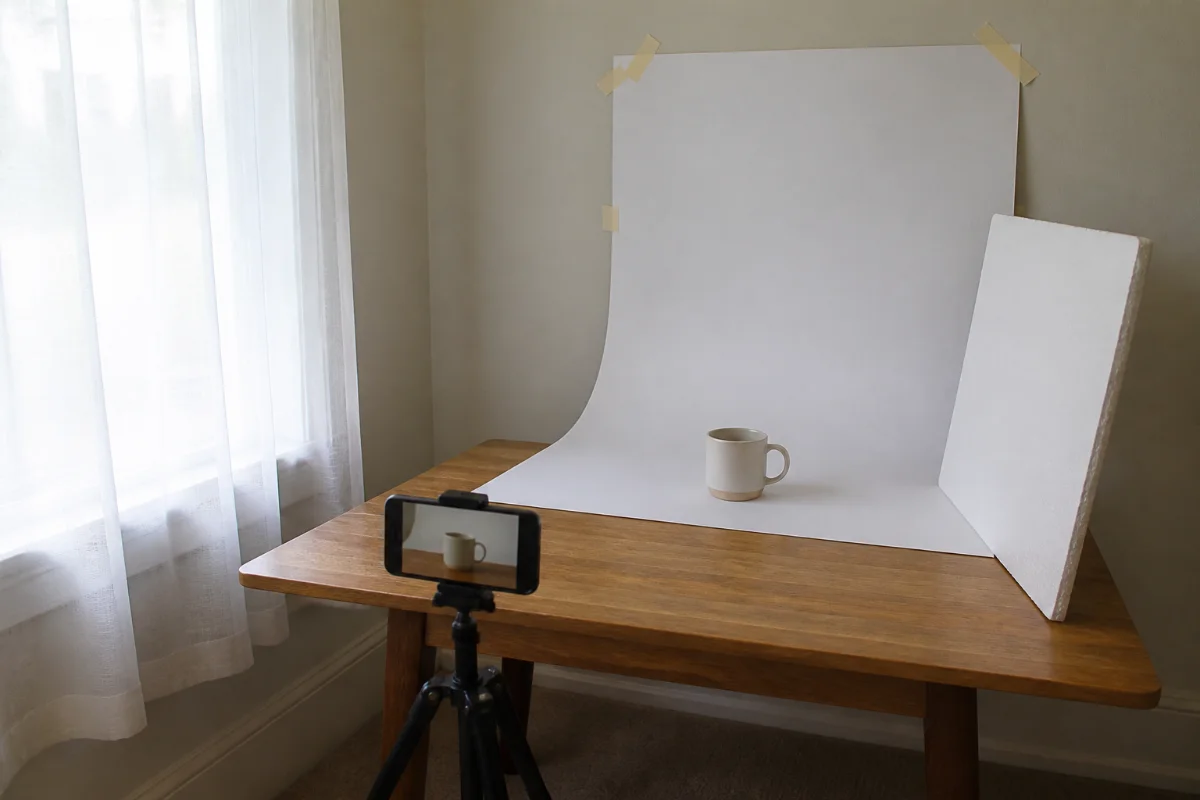
If you’d like to see this kind of window-light setup demonstrated step by step, this tutorial from Shopify’s education channel walks through phone-only product photography, including backdrop and bounce-card placement:
When it’s worth spending a little
Disclosure: As an Amazon Associate I earn from qualifying purchases. The links below are affiliate links, which means we may earn a commission at no extra cost to you. We only mention gear that fits the workflow described here.
Free gear gets you surprisingly far, but three inexpensive upgrades solve specific, recurring problems. Buy them only when you hit the problem, not before.
- For control over shadows anywhere: a collapsible 5-in-1 reflector such as the NEEWER 43-inch 5-in-1 reflector gives you white and silver bounce surfaces, a black side to deepen shadows, and a translucent disc that diffuses harsh window light. It’s worth it once you shoot regularly in rooms you can’t rearrange. Skip it if you only shoot small items on one table; foam board does the same job there.
- For flat lays and unboxing shots: an overhead-capable stand like the UBeesize 92-inch phone tripod with gooseneck and remote lets you shoot straight down at “everything in the box” layouts without balancing on a chair. It suits reviewers who photograph contents, kits, and accessories often. It’s more stand than you need if most of your shots are eye-level.
- For small products and night-time shooting: a lit tent such as the Foldio3 25-inch photo light box with front fill lights produces consistent, shadow-controlled white-background shots regardless of weather or time of day. It’s best for jewelry, gadgets, and accessories. It won’t help with large items or in-use shots, so don’t let it become your only setup; lightbox photos alone look sterile and prove less experience than real-world scenes.
Amazon’s Image Rules: Where Your Own Photos Fit
Many affiliates still copy product images straight from Amazon listings. That’s a policy problem, not just a quality one. Amazon’s Associates Program Policies treat product images obtained through its Creators API or Product Advertising API as licensed content: you may not store or cache those images, only links to them for a limited time, and the same API route is required if you want to display Amazon customer reviews, star ratings, or live prices. Downloading and re-uploading listing photos to your Media Library sits outside those rules.
Your own photographs are a different matter. Pictures you took of a product you own are your content, not Amazon’s Program Content, so the API restrictions on Amazon-supplied images don’t govern them. That gives original affiliate product photography a practical advantage beyond trust: you can host, compress, crop, and reuse your images without depending on an API connection. For a broader refresher on staying in good standing, see our Amazon Associates beginner guide and approval checklist.
Two cautions still apply. First, Amazon’s policies also prohibit misleading claims about products, so a photo that implies a feature the product lacks is a problem regardless of who took it. Second, policies change, so check the current version yourself before building a large image library around any assumption, including this one.
Editing Honestly: What You Can and Can’t Change
Editing is normal; deception isn’t. A useful rule of thumb is to edit the photograph, never the product. Cropping, straightening, correcting white balance, lifting shadows, and removing dust from the backdrop all make the image clearer without changing what the product is.
Retouching scratches off a finish, cloning out a visible seam, saturating a color the product doesn’t actually have, or compositing it into a scene where it never was crosses the line. Those edits undermine the entire reason the photo exists. If you stage something, such as placing a mug on a styled shelf, that’s fine, but don’t caption a staged shot as though it shows long-term use. Color accuracy matters most for apparel, paint, décor, and cosmetics; when it’s critical, shoot a plain white card in the same light and correct to it.
Getting Your Photos Found and Loading Fast
Great evidence is wasted if it slows the page or tells search engines nothing. Google’s image SEO best practices recommend short, descriptive filenames instead of camera defaults, descriptive alt text, and placing images near relevant text, because Google uses the surrounding page content, captions, and alt text to understand what an image shows.
- Rename before uploading.
IMG_4471.jpgbecomestrail-backpack-laptop-sleeve-16-inch.webp. Describe the shot, not your keyword list. - Write alt text for a person who can’t see the image. “Hand holding the tripod’s folded legs next to a 30 cm ruler” is accessible and specific. “Best tripod review affiliate product photography” is neither.
- Use captions for evidence. Captions are read more than body text, so they’re a natural home for the measurement or test condition: “Measured at 1.42 kg on a kitchen scale.”
- Compress and resize. Export to WebP at the width your content column actually displays, not your phone’s full resolution.
- Strip location data. Phones often embed GPS coordinates in photo metadata. If you shoot at home, remove EXIF location before uploading.
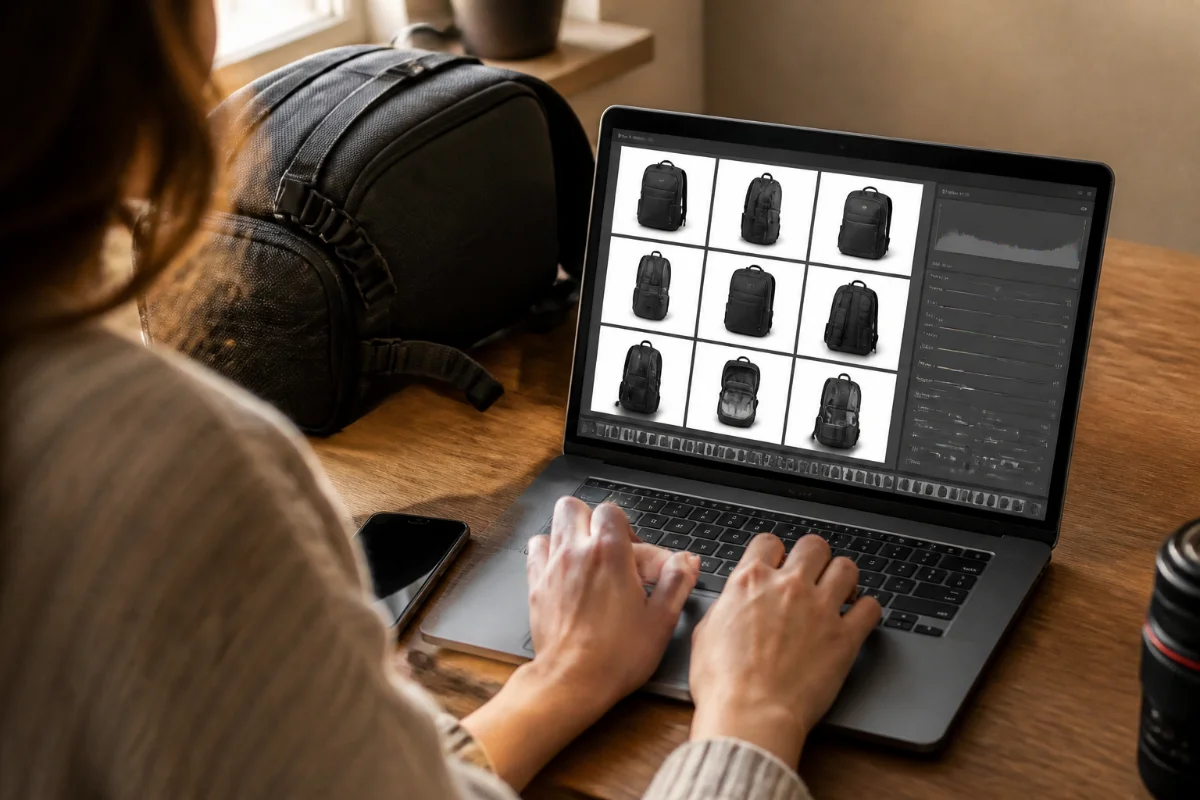
For the technical side of compression, formats, and dimensions, our guide to image optimization basics for WebP and alt text goes deeper than we can here.
A Repeatable Shoot Workflow for Every Review
The reviewers who build the strongest image libraries aren’t the most talented photographers; they’re the most consistent. A short, repeatable routine keeps evidence gathering from becoming a chore you skip on busy weeks.
- Before unboxing, write down the three claims your review will most likely make. These decide your deciding-detail and measurement shots.
- Shoot the unboxing immediately. You only get one chance to photograph the sealed box and full contents.
- Photograph during real use, not just on day one. Schedule a second session after a week or two to catch wear, flaws, and habits.
- Record every measurement twice and note conditions: room temperature, battery level, distance, or settings.
- Cull ruthlessly. Keep the shot that best answers each question and archive the rest with descriptive filenames for future updates.
- Write captions as you edit, while the context is fresh, rather than at publishing time.
Once the photos are ready, they slot into the structure we lay out in how to write affiliate product reviews that convert: each major claim in the text gets the image that proves it, positioned right beside it.
Affiliate Product Photography FAQ
Can I use manufacturer photos in my affiliate reviews?
Sometimes. Many brands publish press kits with usage terms, so check the license before using them, and never copy images from retailer listings like Amazon. Even when permitted, manufacturer photos show the product as the brand wants it seen; they can supplement your own photos but can’t stand in as evidence that you tested anything.
Do I need a DSLR or mirrorless camera for affiliate product photography?
No. A recent smartphone on a tripod, positioned beside a window with a white board for fill, produces review-quality images. Light, background, and stability affect results far more than the camera body. Upgrade only when a specific limitation, such as low-light noise or close-up focus, keeps blocking a shot you need.
How many original photos should a product review include?
There’s no magic number. Aim to answer the reader’s main buying questions, which for most physical products means somewhere around the seven evidence shots in this guide: scale, contents, in use, deciding detail, measurement, flaw, and comparison. A handful of purposeful photos beats a gallery of near-identical angles.
What if I can’t afford to buy every product I review?
Start with products you already own, borrow from friends, rent where possible, or request review samples and disclose that clearly. For roundups of products you haven’t used, say so and frame the piece as research-based rather than implying hands-on testing. Faked experience is riskier than honest limitations.
Will original product photos improve my Google rankings?
There’s no guarantee, and no single element decides rankings. Google’s review guidance does recommend visual evidence of your own experience and quantitative measurements, and original photos make reviews more useful and trustworthy for readers. Treat them as part of producing a genuinely helpful review, not as a ranking shortcut.
Can I use AI-generated images in product reviews?
Not as evidence. An AI image can’t show a real product’s real condition, size, or flaws, so presenting one as a test photo would mislead readers. AI visuals can work for clearly illustrative purposes, such as a concept graphic or header, as long as they don’t depict the reviewed product as if photographed by you.
Should I watermark my review photos?
A small, unobtrusive mark in a corner is fine if image theft is a concern, but large watermarks distract readers and make evidence harder to see. A periodic reverse image search is often a better way to find sites copying your photos than heavy watermarking.
Your Next Shoot Starts With One Product
Strong affiliate product photography isn’t about gear or editing skill. It’s about deciding which questions a buyer has, then capturing images that answer them with evidence only someone who used the product could produce. Scale, contents, real use, the deciding detail, a measurement, an honest flaw, and a comparison: get those seven right and your reviews start to look like what they claim to be.
Pick the product you’re reviewing next, write down its three key claims, and shoot against the evidence list by a window this week. Then revisit your best-earning review and replace one stock image with a photo that proves something. That single swap is the fastest way to feel the difference original photos make.