How Pinterest Search Really Works for Blog Growth
Disclosure: Some links on this page may be affiliate links. If you buy through them, I may earn a commission at no extra cost to you. I only recommend what I’d use myself. Read the full disclosure.
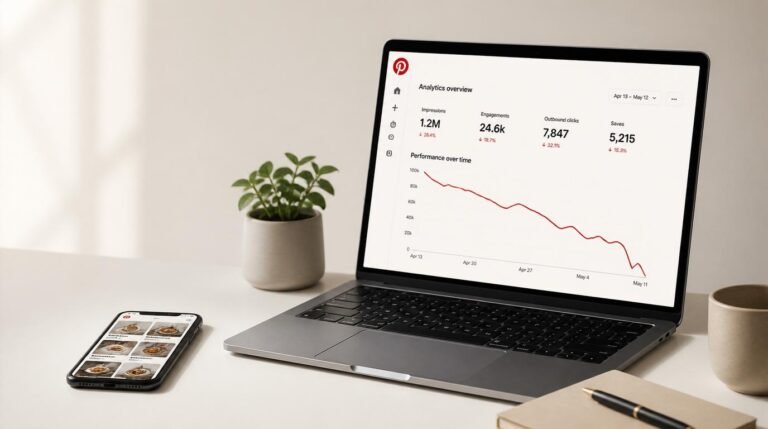
Most bloggers have no idea how Pinterest search really works — and it’s costing them thousands of visitors every single month. They treat Pinterest like Instagram, post a pretty picture, slap on a cute caption, and then wonder why their analytics look like a flatline on a heart monitor. The frustration is real. You’re creating solid content, you’re showing up consistently, and yet… crickets.
Here’s the thing: Pinterest isn’t social media. It’s a search engine wearing a very attractive visual disguise. And until you treat it like one, you’re essentially shouting into a void. I’ve spent over a decade helping brands and bloggers crack this code, and I’m going to lay out exactly how Pinterest’s search algorithm works, what most “experts” get wrong, and the advanced tactics that actually move the needle on organic Pinterest traffic.
Table of Contents
- What Is Pinterest Search, Really?
- How the Pinterest Algorithm Actually Works
- Pinterest Keyword Strategy: Where to Put Your Keywords
- 3 Pinterest Search Myths That Need to Die
- Advanced Pin SEO Tactics Most Bloggers Miss
- Pinterest Content Marketing for Long-Term Growth
- Frequently Asked Questions
- My Top Recommended Gear
What Is Pinterest Search, Really?
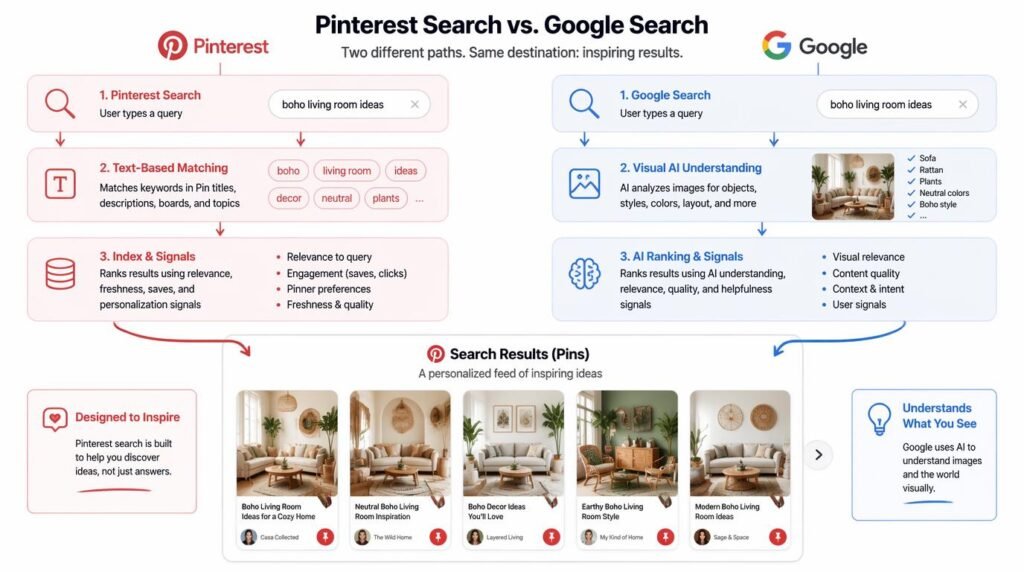
Pinterest search is a visual discovery engine that uses keyword matching, image recognition, and user behavior signals to surface relevant pins to users. Unlike Google, Pinterest combines text-based search with visual AI to deliver results. Understanding this dual mechanism is the foundation of every successful Pinterest keyword strategy and the key to driving consistent blog traffic.
Let me put this bluntly: if you’ve been treating Pinterest like a place to collect mood board inspiration, you’ve been leaving money on the table. Pinterest processes over 2 billion searches per month, and a massive percentage of those users have purchase or action intent. They’re not scrolling mindlessly — they’re actively looking for solutions, ideas, and content exactly like yours.
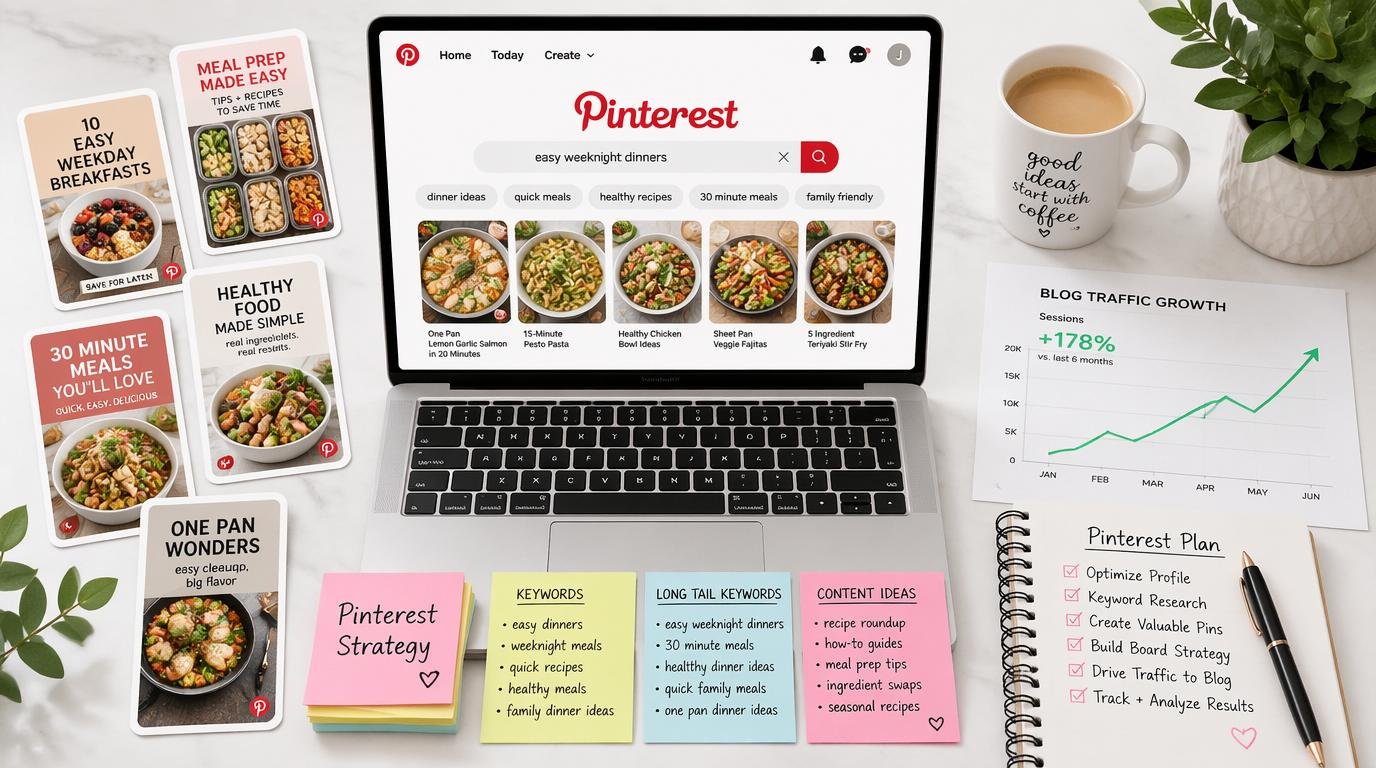
Think of Pinterest as Google’s visual cousin. When someone types “easy weeknight dinner recipes” into Pinterest’s search bar, the algorithm scans pin titles, descriptions, board names, and even the image itself to decide what to show. It’s sophisticated, it’s intentional, and it rewards people who understand pin SEO over people who just make things look pretty.
This is precisely why your 30-day Pinterest posting plan matters so much. Consistency signals relevance to the algorithm, and relevance is the currency Pinterest trades in.
How the Pinterest Algorithm Actually Works
Pinterest’s algorithm — internally they’ve referred to parts of it as “PinSage” in their published research at Stanford — uses graph neural networks to understand relationships between pins, boards, and user interests. But you don’t need a PhD to leverage it. You need to understand four core ranking factors:
1. Domain Quality
Pinterest evaluates your entire website’s trustworthiness. A claimed, verified domain with consistent pinning activity scores higher than a brand-new account pinning sporadically. This is why erratic posting schedules kill your Pinterest visibility faster than bad design does.
2. Pin Quality
The algorithm tracks how users interact with your pins. Saves, clicks, close-ups, and comments all feed into a quality score. High-performing pins get shown to larger audiences. Low performers get buried. It’s a meritocracy, and I honestly love that about the platform.
3. Pinner Quality
Your personal account health matters. How often do you pin? Do people engage with your content? Are you pinning fresh content or recycling the same five images? Pinterest rewards active, high-quality creators with better distribution. Period.
4. Keyword Relevance
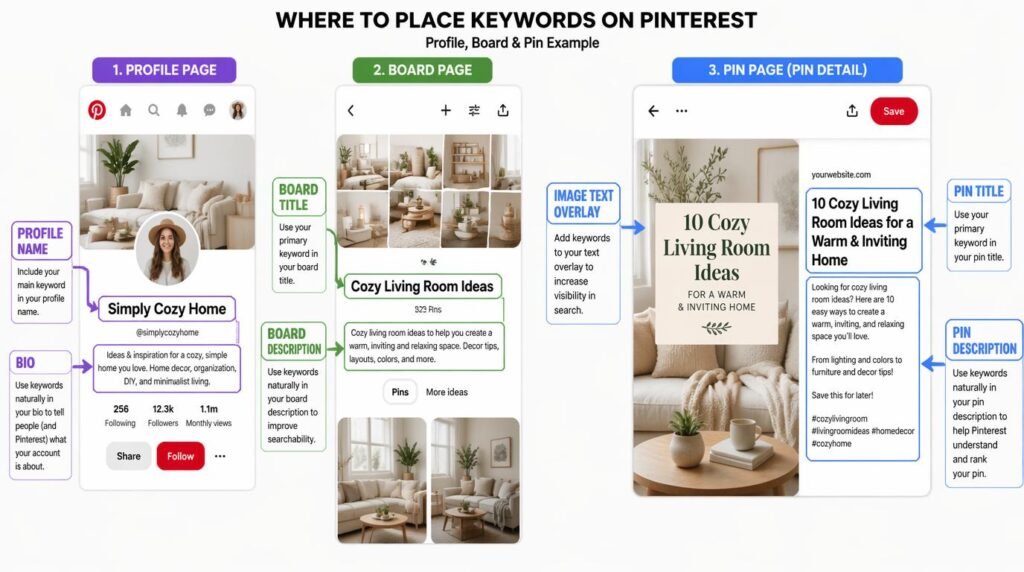
This is the big one. Pinterest needs to understand what your pin is about, and it uses keywords from your pin title, description, board title, board description, and even your profile bio to figure that out. Nail this, and you’re halfway to winning the game.
If you’re trying to drive affiliate traffic through Pinterest, understanding these four factors isn’t optional — it’s the entire foundation.
Pinterest Keyword Strategy: Where to Put Your Keywords
Here’s where most Pinterest search tips articles let you down. They tell you to “use keywords” but never explain where, how many, or in what format. Let me fix that.
Your Profile Name and Bio
Your display name should include your primary niche keyword. “Sarah | Easy Vegan Recipes” tells Pinterest exactly what you’re about. Your bio should naturally weave in 2–3 secondary keywords. Don’t stuff it — write it like a human being who happens to know their SEO.
Board Titles and Descriptions
This is criminally underutilized. Your board titles should be keyword-rich phrases people actually search. “Stuff I Like” tells the algorithm nothing. “Budget-Friendly Home Office Ideas” tells it everything. Each board description should be 2–3 sentences packed with related keywords — think of them as mini SEO briefs.
Pin Titles
Your pin title is the most heavily weighted text signal. Put your primary keyword as close to the beginning as possible. “How Pinterest Search Really Works: A Blogger’s Guide” beats “A Blogger’s Guide to Understanding Things on Pinterest” every time.
Pin Descriptions
Write 2–4 natural sentences. Include your target keyword, one secondary keyword, and a clear call to action. Pinterest’s official best practices emphasize natural language over keyword stuffing, and I’ve seen accounts get suppressed for going overboard. So keep it real.
Image Text Overlay
Pinterest’s visual AI reads text on images. That bold title on your pin graphic? It’s being scanned and indexed. Make sure it aligns with your pin title and target keyword. This one detail alone has boosted Pinterest visibility for several of my clients by 30%+ IMO.
3 Pinterest Search Myths That Need to Die
I’ve heard these so many times they make my eye twitch. Let’s put them down for good.
Myth #1: “You Need a Massive Following to Get Traffic”
Nope. Pinterest distributes content based on keyword relevance and pin quality, not follower count. I’ve seen accounts with 200 followers drive 50,000 monthly page views because they nailed their Pinterest keyword strategy. Followers are a vanity metric here. Stop chasing them.
Myth #2: “Repin Other People’s Content to Stay Active”
This advice was solid in 2019. It’s outdated now. Pinterest has shifted heavily toward rewarding fresh content — meaning new pin images linked to your URLs. Creating multiple pin designs for a single blog post does infinitely more for your Pinterest growth tips than repinning someone else’s recipe graphic ever will. Check out these pin templates that get clicks if you need a starting point.
Myth #3: “Pinterest SEO Is Just Like Google SEO”
There’s overlap, sure, but they’re fundamentally different animals. Pinterest doesn’t care about backlinks. It doesn’t use meta descriptions from your site. It relies on its own internal signals — pin engagement, board relevance, account history, and visual quality. If you approach Pinterest blogging with a pure Google SEO mindset, you’ll optimize the wrong things.
Advanced Pin SEO Tactics Most Bloggers Miss
Alright, let’s get into the stuff that separates casual pinners from people who actually drive serious organic Pinterest traffic. These are tactics I use with clients generating six figures in blog revenue, and they’re surprisingly straightforward once you see them.
Use Pinterest’s Guided Search for Keyword Research
Type your topic into Pinterest search and look at the colored suggestion bubbles that appear below the search bar. Those are Pinterest telling you exactly what users search for. This is free, first-party keyword data straight from the source. I build entire content calendars around these suggestions. No third-party tool comes close to this level of accuracy for Pinterest-specific search intent.
Create Multiple Pin Designs Per Post
One blog post should have at minimum 3–5 unique pin graphics, each with a slightly different title angle and design. Why? Each new pin image is treated as fresh content by the algorithm. More fresh pins = more chances to rank for different keyword variations. It’s the highest-ROI activity you can do on the platform, full stop.
Leverage Idea Pins for Authority Signals
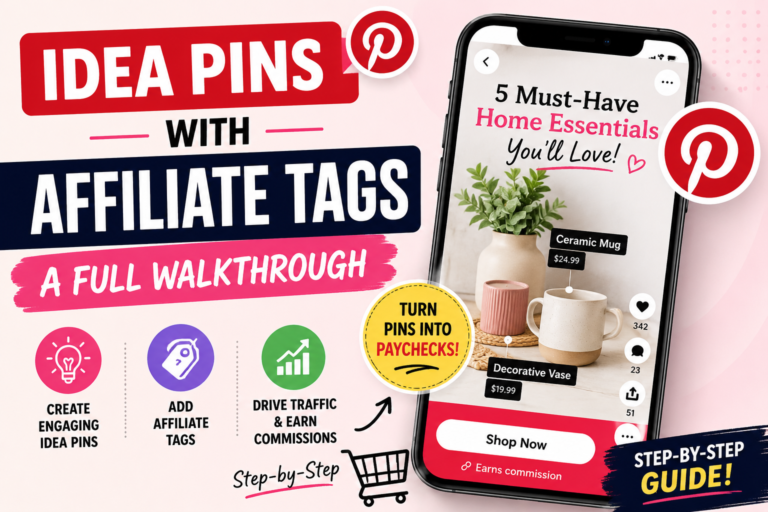
Idea Pins (formerly Story Pins) don’t link to your blog directly, but they massively boost your pinner quality score. Pinterest rewards accounts that use all its features. I treat Idea Pins as authority builders — they increase your account’s overall distribution power, which lifts the performance of your standard clickable pins. Think of them as reputation fuel.
Here’s a video that breaks down some of these advanced concepts really well:
Expert Commentary: This video provides an excellent visual walkthrough of Pinterest’s search mechanics and keyword placement strategies that complement the advanced tactics covered in this article.
Optimize Your Landing Page for Pinterest’s Preview
When someone clicks your pin, Pinterest previews your landing page before the user fully commits to leaving the platform. If your blog post loads slowly, looks cluttered on mobile, or doesn’t visually match the pin, bounce rates spike — and Pinterest notices. Make sure your blog’s above-the-fold content delivers on the pin’s promise immediately. This is where Pinterest content marketing and web UX intersect, and most people ignore it entirely 🙂
Pinterest Content Marketing for Long-Term Growth
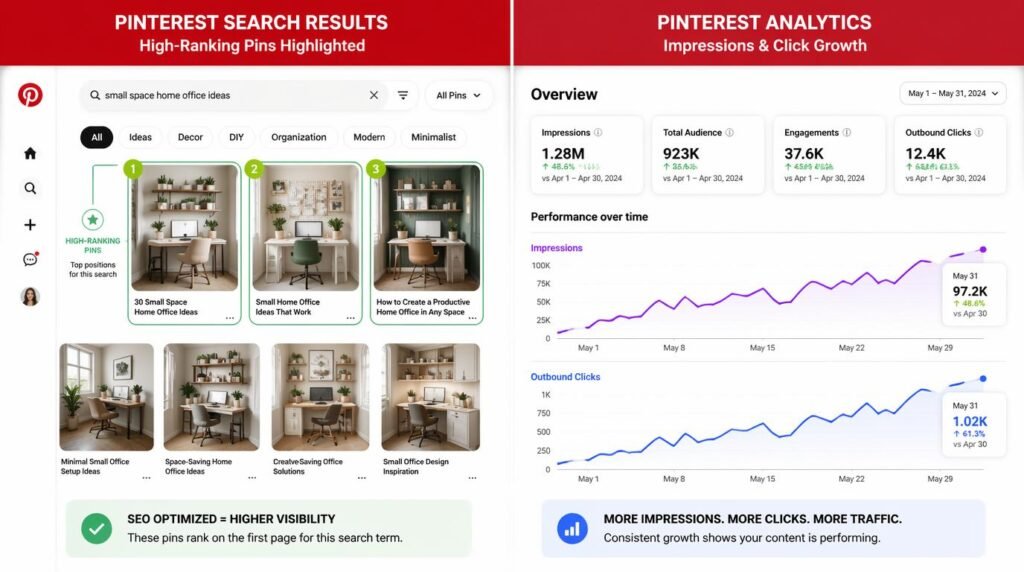
Here’s what I wish someone had told me years ago: Pinterest is a long game, and that’s actually its greatest advantage. Unlike Instagram where a post dies after 24 hours, a well-optimized pin can drive traffic for months or even years. I have pins from 2022 that still send hundreds of clicks per month. Name another platform that does that without paid ads. I’ll wait.
The key to sustainable Pinterest growth tips is building a content flywheel:
- Create evergreen blog content that answers specific questions your audience searches for.
- Design 3–5 pin variations per post, each targeting slightly different keyword angles.
- Pin consistently using a scheduling tool — 5 to 15 pins per day is the sweet spot.
- Analyze and iterate monthly. Double down on pin styles and topics that drive clicks.
- Refresh old pins quarterly with new designs to re-enter the fresh content distribution cycle.
This approach compounds. Month one might feel slow. Month three, you’ll see traction. By month six, you’ll wonder why you ever relied solely on Google. And if you’re combining this with Pinterest affiliate marketing, you’re building a revenue channel that works while you sleep. Not to be dramatic, but it kind of changes everything TBH.
The Pinterest Predicts report is also a goldmine for content planning. Pinterest publishes annual trend forecasts based on their internal search data, and they’ve been eerily accurate. Use it to create content ahead of trending searches, and you’ll be positioned to capture traffic before your competitors even know the trend exists.
Frequently Asked Questions
Is Pinterest a social media platform or a search engine?
Pinterest functions primarily as a visual search engine, not a traditional social media platform. While it has social features like following and commenting, its core algorithm prioritizes keyword relevance, pin quality, and content freshness over social engagement metrics like follower count. Treating it as a search engine is the single biggest mindset shift that unlocks real Pinterest growth.
How long does it take for pins to rank on Pinterest?
Pins typically take 3 to 6 months to gain full traction on Pinterest, though some can start showing results within weeks. Pinterest distributes pins gradually, testing them with small audiences before expanding reach. Consistent pinning and strong keyword optimization can accelerate this timeline significantly.
Do hashtags still matter on Pinterest in 2025?
Hashtags have significantly diminished in importance on Pinterest. Pinterest’s own guidelines no longer emphasize them, and the algorithm now relies almost entirely on keyword-rich descriptions, board titles, and pin titles for content discovery. Focus your energy on natural keyword placement instead of hashtag research — it’s a far better use of your time.
How many pins should I post per day for blog growth?
Most successful bloggers pin between 5 and 15 fresh pins per day. Quality matters far more than quantity. Prioritize creating new pin designs for your existing blog content over repinning others’ content, as Pinterest’s algorithm now heavily favors fresh, original pins linked to your own domain.
My Top Recommended Gear
These are the tools and resources I personally use (or recommend to clients) for creating high-performing Pinterest content. Good gear won’t fix a bad strategy, but it sure makes executing a good one a lot easier.
- Graphics Design Tablet — If you’re creating custom pin illustrations or editing pin templates, a drawing tablet speeds up the workflow dramatically. I use mine daily for quick design tweaks that make pins stand out in the feed.
- Content Planner Notebook — Call me old school, but I plan my Pinterest keyword strategy and content calendar on paper before I touch a scheduling tool. Having a dedicated planner keeps my pin topics, keywords, and posting schedule organized in one place.
- Ring Light for Product/Lifestyle Photography — If you’re shooting your own pin images (which I highly recommend for authenticity), a solid ring light makes everything look professional without needing a full studio setup. Great for Idea Pins too.
Disclaimer: This post contains affiliate links. As an Amazon Associate, I may earn a commission from qualifying purchases at no additional cost to you.
Niche → offer → SEO cluster → Pinterest pins → first clicks. No fluff.