Pinterest Affiliate Marketing for Beginners: Stop Pinning Random Stuff and Actually Make Money
If you’re trying to crack pinterest affiliate marketing for beginners, you’ve probably already gotten the same recycled advice: “Just pin pretty images and add your affiliate link!” Yep, that’s the advice that burns people out and makes them quit in month two. The real problem is nobody tells beginners that without a niche, a keyword strategy, or a trust-building content layer, Pinterest will ignore your pins completely. This article fixes that. By the end, you’ll know exactly how to set up a Pinterest affiliate system that actually builds traffic and earns commissions.
Table of Contents
- What Is Pinterest Affiliate Marketing (And How It Actually Works)
- Why Pinterest Is One of the Best Affiliate Traffic Sources Right Now
- The Biggest Beginner Mistake That Kills Results
- What Most Articles Get Wrong About Pinterest Affiliate Marketing
- Step-by-Step: How to Set Up Pinterest Affiliate Marketing for Beginners
- Insider Tactics From Real Pinterest Affiliate Experience
- Red Flags, Risks, and Traps to Avoid
- Tools and Resources That Actually Move the Needle
- Watch: Pinterest Affiliate Marketing in Action
- FAQ
- My Top Recommended Gear
- What to Do Starting Today
What Is Pinterest Affiliate Marketing (And How It Actually Works)
Answer Target: Pinterest affiliate marketing means placing trackable affiliate links inside your pins or the blog posts your pins point to, so that when someone clicks and buys, you earn a commission. It works because Pinterest functions like a visual search engine, giving your content long-term organic reach that social platforms like Instagram simply don’t offer.
Pinterest is not a social network in the traditional sense. Nobody is scrolling it to see what their cousin had for lunch. People go to Pinterest with intent. They’re looking for ideas, solutions, products, and how-to guides. That’s exactly the environment where affiliate marketing thrives.
Here’s how the basic flow works: You create a pin with a compelling image and keyword-rich description. That pin links to either a direct affiliate URL or a blog post or landing page that contains your affiliate links. A user searches for something, finds your pin, clicks through, and eventually makes a purchase. You earn a commission. Pinterest keeps showing your pin to more people because it’s getting engagement. The cycle compounds over time.
This is fundamentally different from running paid ads or chasing Instagram followers. Pinterest traffic is passive income traffic in the truest sense of the phrase — pins from two years ago still drive clicks today if they’re properly optimized.
If you want to understand how affiliate traffic sources stack up against each other, I’d recommend reading our breakdown of the best affiliate traffic strategies before going all-in on Pinterest alone.
Why Pinterest Is One of the Best Affiliate Traffic Sources Right Now
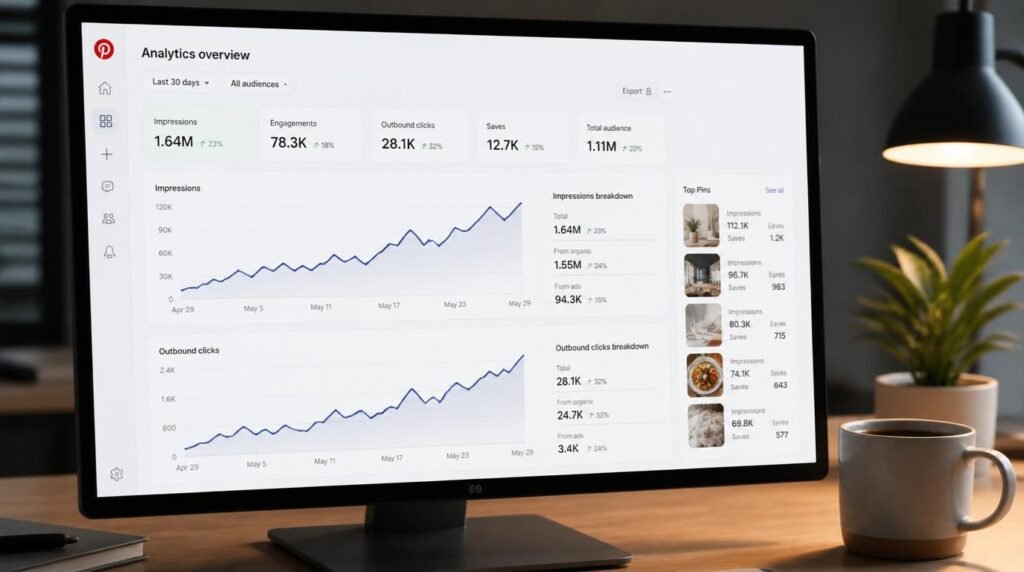
Pinterest has over 500 million monthly active users according to Pinterest’s own newsroom. But raw user count isn’t the interesting part. What matters for affiliate marketers is the buyer intent baked into how people use it.
Research from Pinterest Business research consistently shows that Pinterest users are in discovery and purchase-planning mode. They’re not passive browsers — they’re people actively looking for products and services. That’s a fundamentally different audience than someone doomscrolling a Facebook feed.
Meanwhile, Google SEO has gotten brutally competitive for new sites. Pinterest gives beginners a way to drive substantial search-driven traffic without needing a domain authority of 50 or a thousand backlinks. A well-optimized pin from a brand-new account can rank in Pinterest search within days.
Pinterest also has a long content shelf life. A blog post might get traffic for a few weeks after publication before it needs active promotion. A strong Pinterest pin can drive consistent clicks for 12 to 24 months. That’s the kind of leverage that makes beginner affiliate marketing actually worth the effort.
The Biggest Beginner Mistake That Kills Results
I’ve seen this happen hundreds of times, and it’s painful every time: a beginner discovers Pinterest affiliate marketing, gets excited, and starts pinning. But they pin everything. Kitchen products. Travel destinations. Workout gear. Make money online tips. Skincare. All from one account. No theme, no niche, no strategy.
Pinterest’s algorithm is built to categorize content and show it to users who are interested in specific topics. When your account covers 12 unrelated topics, Pinterest doesn’t know who to show your pins to. So it shows them to almost nobody.
The fix is brutally simple but most people resist it: pick one niche and own it. Not a broad category like “lifestyle” — an actual focused niche like “budget meal prep for families” or “beginner home gym setups under $500.” The narrower your niche, the faster Pinterest understands your account, the faster your pins get distributed, and the faster you start earning.
Niche focus also solves another silent killer: trust. When someone lands on a Pinterest profile that’s clearly about one specific thing, they follow it. When they land on a random mixed bag, they bounce. Followers who save your pins send strong signals to Pinterest that your content is worth distributing more widely.
Want a system that handles all of this from day one? Our complete Pinterest affiliate marketing system walks through the exact setup process we use.
What Most Articles Get Wrong About Pinterest Affiliate Marketing
The standard beginner article on this topic tells you to: create a business account, make some boards, pin consistently, and add affiliate links. That’s not wrong exactly — it’s just dangerously incomplete. It’s like telling someone to start a restaurant by getting a kitchen and making food. True, but missing everything that matters.
Here’s what those articles skip:
- Pinterest is a search engine first. Your pin descriptions, board titles, and profile bio need to be keyword-optimized the same way you’d optimize a blog post. Without this, you’re just hoping someone stumbles across your content.
- Direct affiliate links alone are not a real strategy. Most top-performing Pinterest affiliate marketers drive traffic to a landing page or blog post, warm up the reader, and THEN present the affiliate offer. Cold clicks from Pinterest rarely convert well without that middle layer.
- Image quality is a ranking factor. Pinterest’s algorithm rewards saves and clicks. Ugly pins get ignored. You need vertical images (ideally 1000×1500 pixels), clean design, and a clear visual hook — not just a product photo slapped with text in MS Paint.
- Consistency window matters. Pinning 50 times in one day and then nothing for a week signals spam behavior. Pinterest rewards accounts that show up regularly and steadily.
Understanding how Pinterest’s actual search algorithm prioritizes content will change how you approach every pin you create. Our deep look at how Pinterest search really works is required reading before you touch your keyword strategy.
Step-by-Step: How to Set Up Pinterest Affiliate Marketing for Beginners
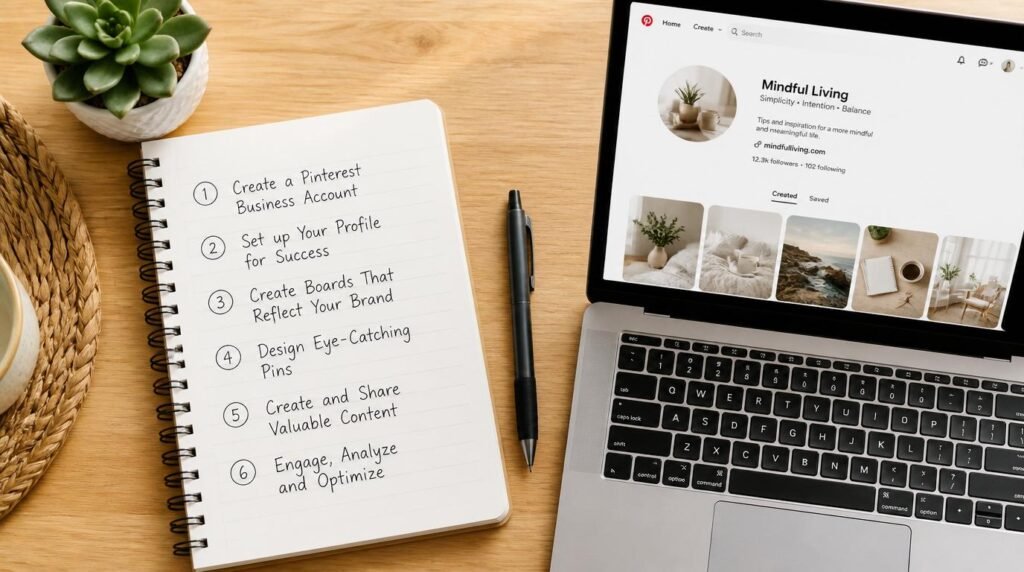
Let’s get practical. Here’s the actual setup process, in the right order:
Step 1: Choose a Tight, Profitable Niche
Use Pinterest’s own search bar to check what’s already working. Type broad category terms and look at what autofill suggestions appear — those are real searches people are making. Cross-reference with Google Trends to confirm sustained interest. Pick one niche with both search volume and buyer intent.
Step 2: Set Up a Pinterest Business Account
Go to Pinterest and convert to or create a business account. Fill out your profile bio with your niche keyword naturally included. Claim your website if you have one — this gives your pins a credibility boost in distribution. Enable Rich Pins if your site supports them.
Step 3: Build 5 to 8 Keyword-Optimized Boards
Board titles should match real search terms, not cute creative names. “Easy Weeknight Dinners Under $10” beats “My Yummy Kitchen.” Write a 150 to 200 word keyword-rich board description for each board. This is your foundational Pinterest SEO structure.
Step 4: Join Affiliate Programs That Fit Your Niche
Amazon Associates works for almost every niche and is easy to get approved for. For higher commissions, look at ShareASale, Impact, or direct brand programs. Always read each program’s Pinterest policy — some brands prohibit direct social media linking and require traffic through a website.
Step 5: Create or Build a Simple Landing Layer
Even a free WordPress.com blog or a simple Linktree-style page dramatically improves your conversion rate compared to cold affiliate links. This landing layer warms up the visitor, builds trust, and gives you somewhere to capture email subscribers — which is where real long-term affiliate income comes from.
Step 6: Create Optimized Pins Using a Design Tool
Use Canva (free tier works fine) to create vertical pins at 1000×1500 pixels. Use high-contrast colors, minimal text, and a clear visual message. Write a 100 to 200 word pin description using your target keyword naturally in the first sentence. Do not stuff keywords — Pinterest is smart enough to penalize that.
Step 7: Pin Consistently Using a Scheduler
Use Tailwind or Pinterest’s own native scheduler to spread your pins across the week. Start at 5 to 10 pins per day. Mix fresh pins with repins of your own best-performing content. Track your analytics weekly and double down on what’s getting saves and clicks.
Insider Tactics From Real Pinterest Affiliate Experience
Here’s what the beginner guides don’t tell you because most people writing them haven’t actually done the work:
Your first 30 days should be about content seeding, not sales. Pin 80% educational or inspirational content in your niche and 20% affiliate content. Pinterest’s algorithm needs to understand who you are before it distributes you to buyer-intent audiences. Jumping straight to affiliate pins from day one is one of the fastest ways to get your reach suppressed.
Save pins to the most relevant board first. Pinterest uses the first board you save a pin to as the primary category signal. If you have a pin about budget kitchen gadgets, save it to your “Budget Kitchen Essentials” board first, not your general “Things I Love” board.
Trend-riding works if you act fast. Pinterest releases a seasonal trends report every year. IMO, this is one of the most underused free tools in affiliate marketing. When you create pins around trending topics three to four weeks before peak search season, you can ride the wave at exactly the right time.
Repin your own winners every 90 days. A pin that performed well six months ago can perform even better if re-saved to a fresh board with a slightly updated description. Pinterest treats it as a new content signal without you having to create from scratch.
If you want a specific daily and weekly action plan mapped out, our 30-day Pinterest posting plan gives you the exact framework.
Red Flags, Risks, and Traps to Avoid
No joke, some of these mistakes will get your account suspended. Know them before you hit publish on your first pin:
- Hiding affiliate links: Pinterest requires you to disclose affiliate relationships. Use #ad or #affiliate in your pin description. Not optional.
- Linking to low-quality landing pages: Pinterest actively reviews where pins link to. Pages loaded with ads, pop-ups, or thin content get flagged and your pins stop distributing.
- Using other people’s images: Pinterest takes copyright seriously and DMCA takedowns happen. Use your own images, stock photos with proper commercial licenses, or platforms like Unsplash and Pexels.
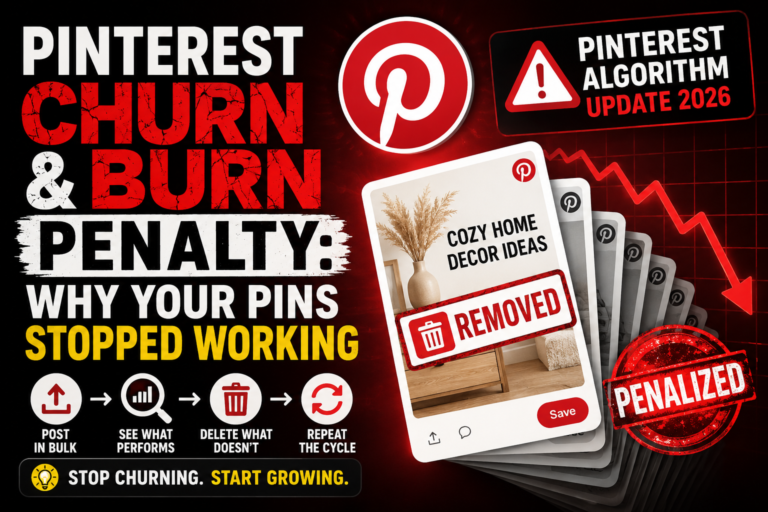
- Buying followers or engagement: Pinterest’s algorithm detects fake engagement. It tanks your reach faster than doing nothing at all.
- Promoting affiliate programs that ban Pinterest: Some networks like certain high-ticket programs explicitly prohibit social media linking. Violating this gets you kicked from the program, not just warned.
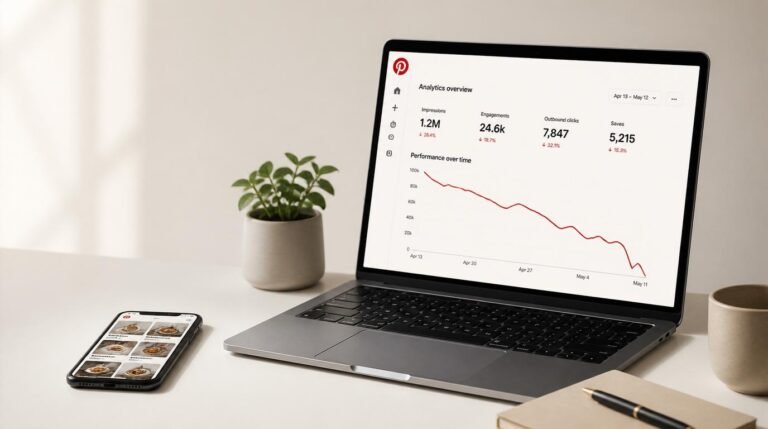
- Giving up before month three: Pinterest is a compounding platform. Most beginners quit between weeks six and ten, right before the algorithm starts trusting their account enough to push content broadly. The people who stick through month three almost always see a meaningful jump in impressions.
Tools and Resources That Actually Move the Needle
You don’t need an expensive tech stack. You need a few well-chosen tools that do specific jobs well:
- Canva: Free tier handles 90% of what a beginner needs for pin design. The pro version is worth it once you’re creating at scale.
- Tailwind: The industry standard for Pinterest scheduling. Its SmartLoop and Communities features are legitimate time-savers.
- Pinterest Trends: Free, built into Pinterest. Use it every time you’re planning a new batch of pins.
- Google Search Console: If your pins link to a blog, GSC tells you which search queries are landing people on your pages — invaluable for refining your affiliate content strategy.
- ConvertKit or MailerLite: Once you’re driving traffic, capture emails. Affiliate commissions from your list will eventually dwarf what you earn from cold Pinterest clicks. This is the step most beginners skip and regret.
According to data published by the FTC’s endorsement guidelines, all affiliate and sponsored content must include clear disclosure. Make sure every affiliate pin and linked post includes this — it’s not just a best practice, it’s a legal requirement.
Watch: Pinterest Affiliate Marketing in Action
Expert Commentary: This video shows the exact pin creation and keyword research workflow in real time, which is far more useful than reading a description of the process when you’re just getting started.
FAQ
Can beginners do affiliate marketing on Pinterest without a blog?
Yes. You can link affiliate URLs directly from Pinterest pins, but a landing page or blog post dramatically improves conversions and protects your account from policy issues. A simple free blog or landing page is strongly recommended.
Does Pinterest allow affiliate links?
Yes, Pinterest allows affiliate links. You must disclose your affiliate relationship clearly and follow Pinterest’s spam and community guidelines. Always check the affiliate program’s terms too, since some programs prohibit direct social linking.
How many pins per day should a beginner post?
Start with 5 to 10 pins per day using a scheduler like Tailwind. Consistency matters far more than volume. Pinning 200 times in one week and then going silent will hurt your distribution.
How long does it take to see results from Pinterest affiliate marketing?
Most beginners see meaningful traffic growth between 90 and 180 days with consistent pinning, keyword optimization, and a focused niche. Pinterest is a slow-burn search engine, not a social feed.
What niches work best for Pinterest affiliate marketing?
Home decor, personal finance, health and wellness, DIY and crafts, food and recipes, travel, and parenting consistently perform well. Pick a niche with high buyer intent and strong visual appeal.
Should I use a personal or business Pinterest account for affiliate marketing?
Always use a business account. It gives you access to Pinterest Analytics, the ability to claim your website, and access to Rich Pins, all of which increase your reach and credibility.
What is the best affiliate program for Pinterest beginners?
Amazon Associates is the easiest starting point because of its massive product catalog. ShareASale, CJ Affiliate, and niche-specific programs often pay higher commissions and are worth adding once you understand your audience.
My Top Recommended Gear
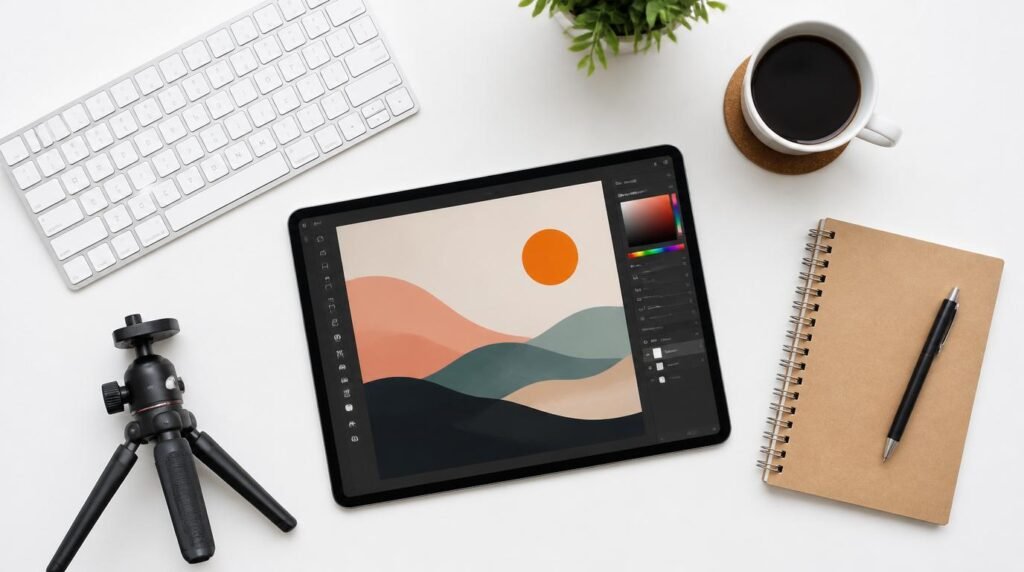
These are tools and equipment types that genuinely make a difference in how fast you can produce quality Pinterest content and how professional your affiliate setup looks:
A Professional Graphic Design Subscription: Canva Pro gives you access to brand kits, premium templates, and background removal — all things that speed up pin creation dramatically once you’re producing content at scale. Best for creators who want to batch-create 30 to 50 pins in a single session. Browse graphic design software options on Amazon.
A Quality Ring Light or Photography Lighting Kit: If you’re creating original product photos or lifestyle images for your pins rather than relying entirely on stock photos, proper lighting is the single biggest upgrade you can make to image quality. Best for niches like food, beauty, home decor, or DIY where original photography performs significantly better than generic stock. See ring light options on Amazon.
A Wireless Ergonomic Keyboard and Mouse Combo: Sounds basic, but if you’re spending three to four hours a day scheduling pins, writing descriptions, and managing affiliate links, a comfortable keyboard and mouse setup reduces fatigue and keeps your output consistent. Best for anyone building this as a serious part-time or full-time operation. Find ergonomic keyboard and mouse combos on Amazon.
What to Do Starting Today
Pinterest affiliate marketing for beginners works — but only when you treat Pinterest like the search engine it is, not like a bulletin board where you toss random affiliate links and hope for the best. 🙂
The path is clear: pick a real niche, build keyword-optimized boards, create pins that link to useful content, and show up consistently for at least 90 days. Add a simple email capture layer to your traffic flow as soon as possible — that’s what separates people who earn a few dollars here and there from people who build actual recurring affiliate income.
Stop waiting for the perfect strategy to materialize. The beginners who win on Pinterest are the ones who pick a direction, execute it with discipline, and adjust based on real data from their analytics — not based on what the latest Pinterest guru is selling in their course.
The framework works. The tools exist. The traffic is there. Now you have to actually build it.
Disclaimer: This post contains affiliate links. As an Amazon Associate, I may earn a commission from qualifying purchases at no additional cost to you.