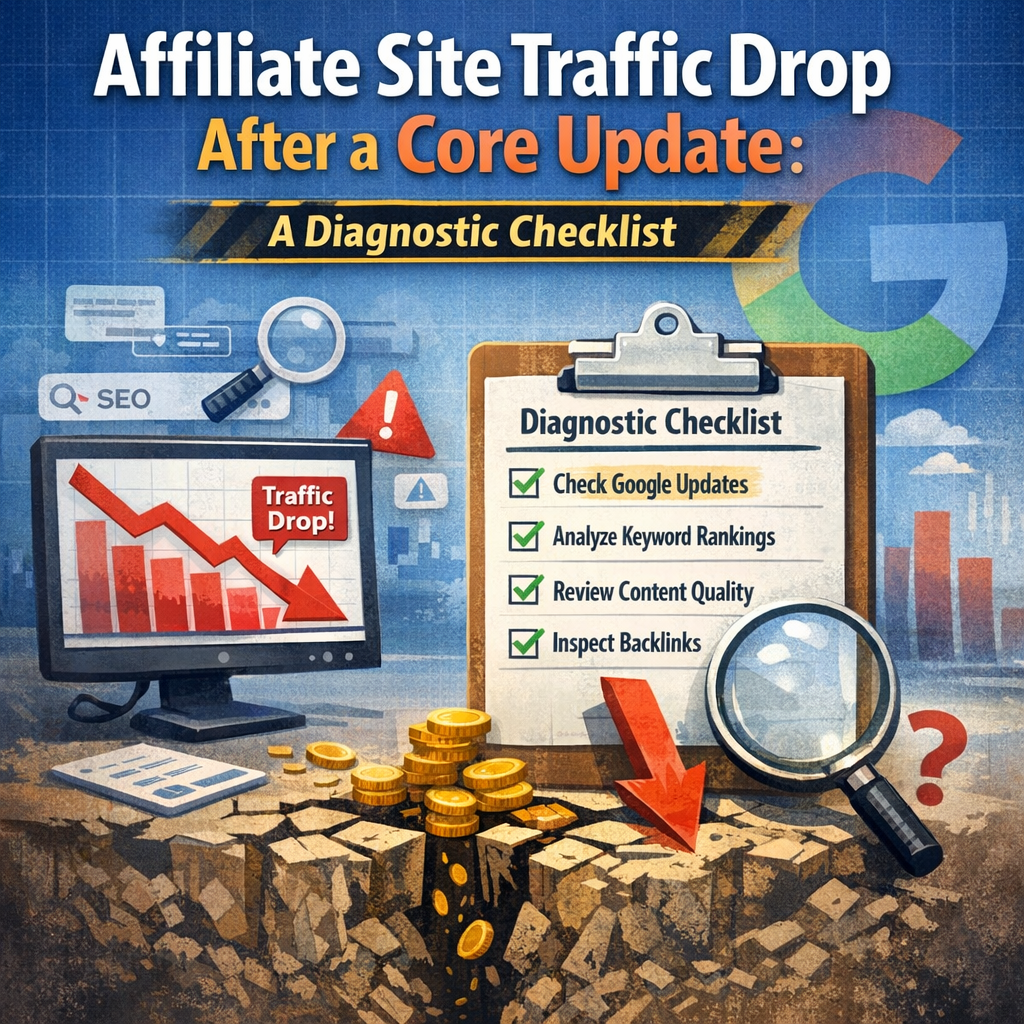
Affiliate Site Traffic Drop After a Core Update: The Essential Diagnostic Checklist
Disclosure: Some links on this page may be affiliate links. If you buy through them, I may earn a commission at no extra cost to you. I only recommend what I’d use myself. Read the full disclosure.
You checked your analytics this morning and the line went off a cliff. An affiliate site traffic drop after a core update is one of the most common — and most panic-inducing — events in affiliate publishing right now. 2026’s core updates have hit a lot of affiliate sites, and the sites that recover fastest are the ones that diagnose calmly instead of panicking and rewriting everything overnight.
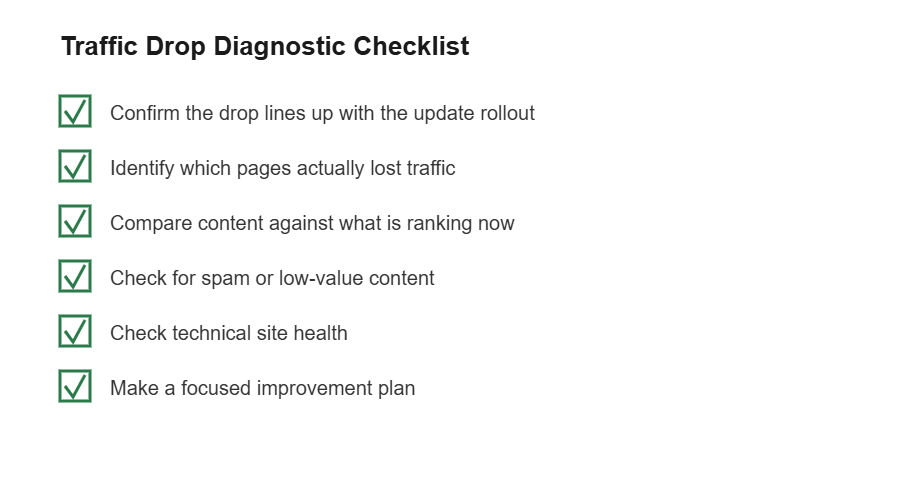
This checklist walks you through what to check first, second, and third, so you can figure out what actually happened before you touch a single page.
Table of Contents
- Step 1: Confirm Your Affiliate Site Traffic Drop After a Core Update Is Real
- Step 2: Identify Which Pages Actually Lost Traffic
- Step 3: Compare Your Content Against What’s Ranking Now
- Step 4: Check for Spam or Low-Value Content You Forgot About
- Step 5: Check Your Site’s Technical Health
- Step 6: Make a Plan — Don’t Rewrite Everything at Once
- What Recovery From an Affiliate Site Traffic Drop After a Core Update Looks Like
- When to Consider Getting a Second Opinion
- FAQ
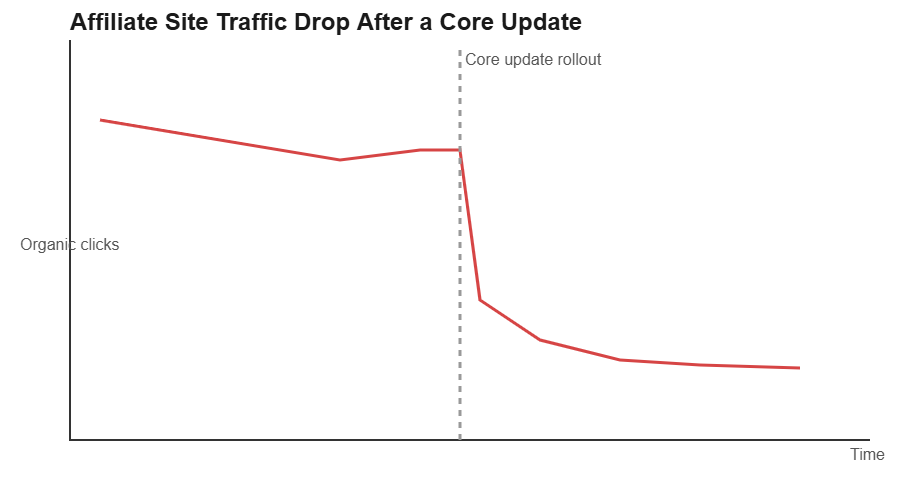
Step 1: Confirm Your Affiliate Site Traffic Drop After a Core Update Is Real
Before you blame Google, rule out the boring explanations. Pull up your analytics and line up the date of the traffic drop against the confirmed rollout dates for the core update. If your drop started days before the update was even announced, the cause is probably something else entirely.
- Check for a seasonal pattern — some niches naturally dip at certain times of year, and it’s easy to mistake seasonality for an algorithm penalty.
- Check Google Search Console for manual actions or security issues under the “Security & Manual Actions” section.
- Check that your site didn’t go down, get slow, or throw errors around the same time — a hosting hiccup can look identical to a ranking drop in your traffic graph.
- Rule out tracking problems. If Google Analytics tags got removed or broken during a theme update, your “traffic drop” might just be a measurement drop.
Only move to the next steps once you’ve confirmed the timing genuinely lines up with the core update rollout window. It’s worth checking Google’s own documentation on core updates so you can confirm rollout dates and how these updates actually work, instead of relying on secondhand posts in a Facebook group, since rumors about “another update” circulate constantly and aren’t always accurate.
It also helps to separate a core update from an unrelated algorithm change, like a spam update or a helpful content signal refresh. These sometimes roll out close together, and the fix for each is different — a spam-focused update calls for a very different response than one aimed at content depth and originality.
Step 2: Identify Which Pages Actually Lost Traffic
Core updates rarely hit an entire site evenly. Usually a specific cluster of pages absorbs most of the loss while others hold steady or even gain. Go into Search Console’s Performance report, compare the weeks before and after the update, and sort by the biggest drops in clicks.
Look for a pattern in what dropped. Common groupings include thin affiliate roundup posts with little original insight, older reviews that were never updated, pages competing directly with product pages or forums that Google is now favoring, and content that reads like it was written to hit a word count rather than answer a question.
If the drop is concentrated in one type of content, that’s your strongest clue about what the update was actually targeting on your site.
It’s also worth checking whether the drop is a ranking issue or a click-through issue. Sometimes a page keeps its position but loses clicks because an AI-generated overview or a competitor’s richer snippet now sits above it. That’s a different problem than losing rankings outright, and it usually calls for tightening your title and meta description rather than rewriting the whole page.
Step 3: Compare Your Content Against What’s Ranking Now
Search the keywords for your affected pages and actually read what’s ranking above you now. Don’t just glance at the titles — read the full articles. Ask yourself honestly: does this competing page answer the question more completely, more clearly, or with more direct experience than yours does?
Many affiliate sites have seen updates reward content that shows clear firsthand use of a product — screenshots, specific pros and cons, and honest downsides — over generic summaries pulled together from other summaries. If your review pages read like they could have been written without ever touching the product, that’s worth addressing — Google’s own guidance on creating helpful, people-first content spells out exactly this gap between generic and firsthand writing.
Pay attention, too, to how the top-ranking pages are structured. If they answer the reader’s underlying question in the first few sentences instead of burying it under a long introduction, and your page makes people scroll to get to the point, that gap in structure can matter as much as the gap in substance.
Step 4: Check for Spam or Low-Value Content You Forgot About
Old posts have a way of quietly dragging a site down. Go through your full post list and flag anything that’s outdated, duplicated, auto-generated, or so thin it barely qualifies as an answer to the query it targets.
If you’ve ever wondered whether a spike in traffic you got from a guest contributor or a bulk content order was legitimate, it’s worth reviewing our guide on identifying whether increased traffic is spam — the same signals that flag spammy traffic often overlap with the kind of content core updates are built to demote.
Step 5: Check Your Site’s Technical Health
Core updates are about content quality, but technical problems can compound a drop or make recovery slower. Run through the basics:
- Page speed on mobile — slow-loading review pages frustrate readers and search engines alike.
- Broken internal links, especially on your highest-traffic posts.
- Duplicate or near-duplicate content across posts targeting similar keywords.
- Ads or popups that push your actual content below the fold on mobile.
None of these alone usually causes a core update drop, but cleaning them up removes variables and makes it easier to judge whether your content fixes are working.
Step 6: Make a Plan — Don’t Rewrite Everything at Once
The instinct after a drop is to overhaul the whole site immediately. Resist that. Pick your five to ten most-affected, highest-potential pages and improve those first: add genuine detail, update outdated information, remove filler, and make sure the page actually delivers what the title promises.
Track the changes you make and when you make them, so if traffic recovers later, you have a record of what worked instead of a vague sense that “we fixed some stuff.”
Set a realistic review cadence — checking every four to six weeks tends to work better than checking daily, since day-to-day fluctuation in Search Console data can send you chasing noise instead of signal.
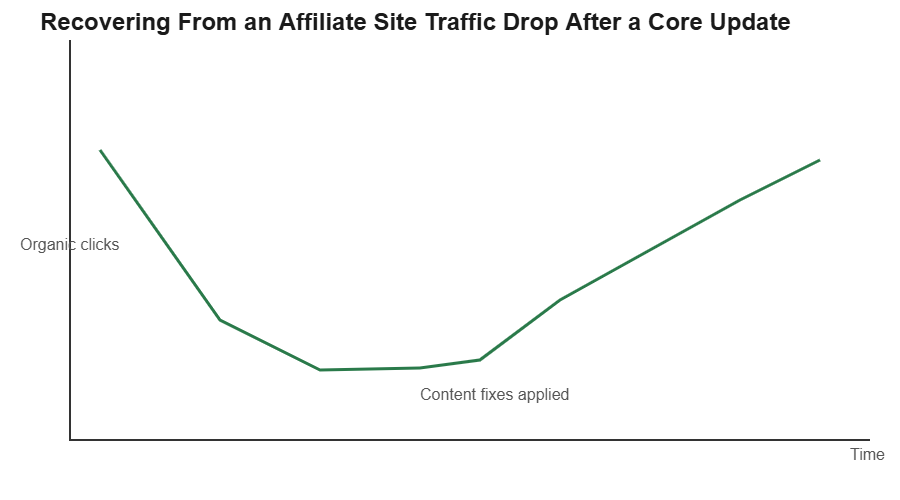
What Recovery From an Affiliate Site Traffic Drop After a Core Update Looks Like
Recovery from a core update is rarely instant. Google needs to recrawl and reassess your updated pages, and that can take weeks. Some sites see partial recovery with the next core update rather than a gradual climb in between. Patience paired with real content improvement tends to beat panic-driven changes every time.
It also helps to manage your own expectations about what “recovery” means. Getting back to your exact previous traffic level isn’t guaranteed, especially if the competitive landscape for your keywords has genuinely gotten stronger. A more realistic goal is steady improvement in the pages you’ve reworked, month over month, rather than an overnight return to old numbers.
When to Consider Getting a Second Opinion
If you’ve worked through this checklist, made real improvements to your top affected pages, and still see no movement after a couple of core update cycles, it may be worth getting an outside read on your site. A second set of eyes — whether that’s another affiliate publisher you trust or a paid audit — can spot patterns you’ve gotten too close to see, like a site-wide structural issue or a content gap across your whole niche rather than just individual pages.
FAQ
How long does it take to recover from an affiliate site traffic drop after a core update?
There’s no fixed timeline. Some sites see gradual improvement over the following weeks; others don’t see meaningful recovery until the next core update rolls out. It depends on how thoroughly you address the underlying content issues.
Should I delete old posts that lost traffic?
Not automatically. First check whether the page can be meaningfully improved. If it’s genuinely thin, outdated beyond repair, or duplicates another post, redirecting or removing it can help. If it just needs better information, update it instead.
Can a core update penalty be reversed by adding more affiliate links?
No — and this often makes things worse. Core updates typically target content quality and helpfulness, not link density. Adding more affiliate links to thin content usually reinforces the exact pattern the update is demoting.
Is it normal for only some pages on my site to drop while others stay stable?
Yes, this is common. Core updates tend to reassess content on a page-by-page or topic-cluster basis rather than applying a blanket site-wide penalty, which is why identifying the specific pages that dropped is such an important diagnostic step.
A traffic drop after a core update feels personal, but it’s rarely random. Work through the checklist above in order, resist the urge to change everything at once, and focus your energy on the pages with the clearest gap between what they currently offer and what’s now ranking above them.
Niche → offer → SEO cluster → Pinterest pins → first clicks. No fluff.