First Affiliate Website Setup: Smart Launch Guide
Disclosure: Some links on this page may be affiliate links. If you buy through them, I may earn a commission at no extra cost to you. I only recommend what I’d use myself. Read the full disclosure.
Table of Contents
- What a First Affiliate Website Setup Actually Involves
- Why You Must Pick Your Niche Before You Touch a Domain
- Domain Registration and Hosting — Without Overspending
- Installing WordPress the Right Way (Skip the Mistakes I Made)
- Theme Selection and the Only Plugins You Actually Need
- Your First 10 Posts: The Content Strategy That Builds Momentum
- Affiliate SEO Fundamentals Most Beginners Ignore
- Link Tracking: How to Prove Your Affiliate Links Actually Work
- The Biggest Myth Beginners Believe About Affiliate Websites
- Frequently Asked Questions
- My Top Recommended Gear
What a First Affiliate Website Setup Actually Involves
Here’s a stat that should bother you: 95% of people who attempt their first affiliate website setup never earn a single commission. Not because affiliate marketing doesn’t work — it generated over $8.2 billion in U.S. spending in 2022 — but because most beginners spend three weeks agonizing over logo colors and zero hours building the infrastructure that actually drives revenue.
I know because I was one of them. My first affiliate site looked beautiful and earned exactly $0 for four months. The problem wasn’t effort. The problem was sequence. I built the roof before pouring the foundation.
If you’re reading this, you probably want proof — proof that your links get clicked, proof that your site shows up in Google, proof that this whole affiliate marketing for beginners thing isn’t just noise. This guide gives you the exact build order I wish someone had handed me. No fluff. Every step earns its place.
Quick Answer: A first affiliate website setup requires five core steps executed in order: choosing a profitable niche, registering a domain with reliable hosting, installing WordPress with essential plugins, publishing keyword-targeted content, and configuring link tracking to verify your affiliate links convert. Most beginners can launch a functional affiliate site in a single weekend for under $100.
Why You Must Pick Your Niche Before You Touch a Domain
Ever bought a domain name on impulse at 11 PM, convinced you’d found the perfect brand — only to realize two weeks later that nobody searches for that topic? I’ve done it three times. Three domains collecting dust because I skipped the single most important decision in affiliate site setup.
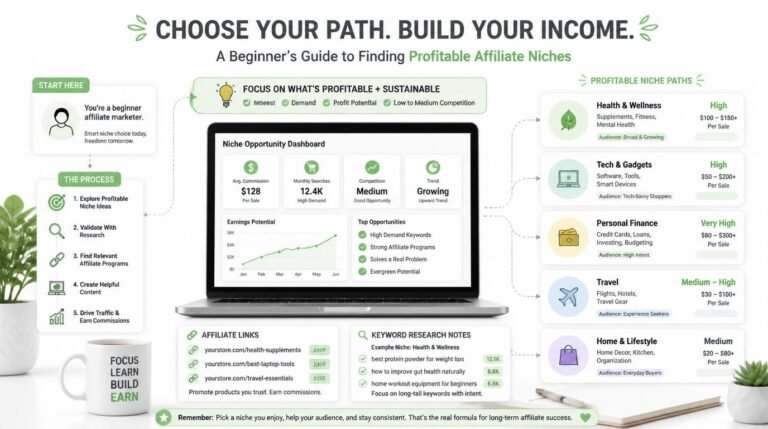
Your niche dictates everything downstream. It determines your domain name, your site architecture, which affiliate programs accept you, and — critically — whether enough people search for the problems you plan to solve. Choosing a niche isn’t a creative exercise. It’s a market research exercise.
Here’s what I look for now before I commit a single dollar:
- Search volume validation: I check Google Keyword Planner (free) or Ubersuggest to confirm at least 20-30 article topics with 200+ monthly searches exist in my candidate niche
- Affiliate program availability: I verify that at least 3 affiliate programs exist with commissions above $10 per sale or 15%+ recurring
- Competition calibration: I search my top 5 keyword ideas and check whether page-one results come exclusively from massive authority sites, or whether smaller blogs also rank
- Personal sustainability: I ask myself honestly — can I write 50+ articles on this topic without wanting to quit?
If you haven’t settled on a niche yet, I wrote a full breakdown on how to choose a profitable niche that walks through this process with real examples.
Domain Registration and Hosting — Without Overspending
What if I told you the hosting plan you pick on day one matters far less than most “expert” guides claim? Here’s why: your site will get fewer than 100 visitors per day for the first several months. You don’t need enterprise-grade infrastructure. You need something reliable, fast enough, and cheap enough that you don’t feel financial pressure to “make it work” before you’ve published enough content to rank.
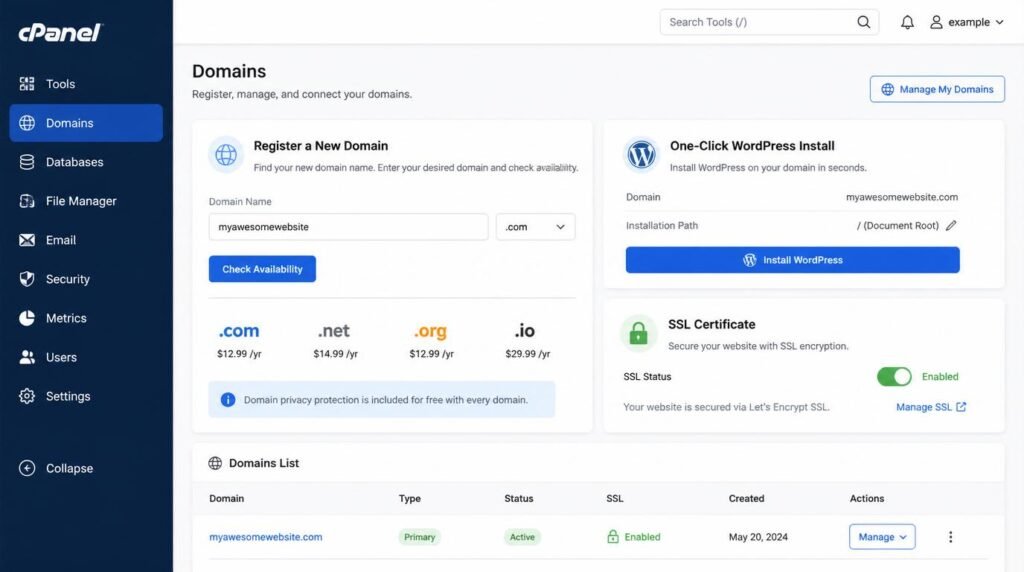
For your domain: Keep it short, brandable, and easy to spell. Avoid hyphens, numbers, and exact-match keyword domains (Google stopped rewarding those years ago). A .com extension still carries the most trust, though .co and .io work fine for tech-adjacent niches.
For hosting: I recommend starting with shared hosting from providers like SiteGround, Cloudways, or Hostinger. Budget $3–$7 per month. Every reputable host now includes free SSL certificates, which Google has confirmed as a ranking signal since 2014. Enable SSL immediately — there’s zero reason not to.
One thing I wish I’d known earlier: buy your domain and hosting from the same provider. It eliminates the DNS configuration headache that trips up roughly half of all beginners during their affiliate blog setup.
Installing WordPress the Right Way (Skip the Mistakes I Made)
Why do I recommend WordPress over Wix, Squarespace, or Shopify for a beginner affiliate marketing site? Control. Full stop.
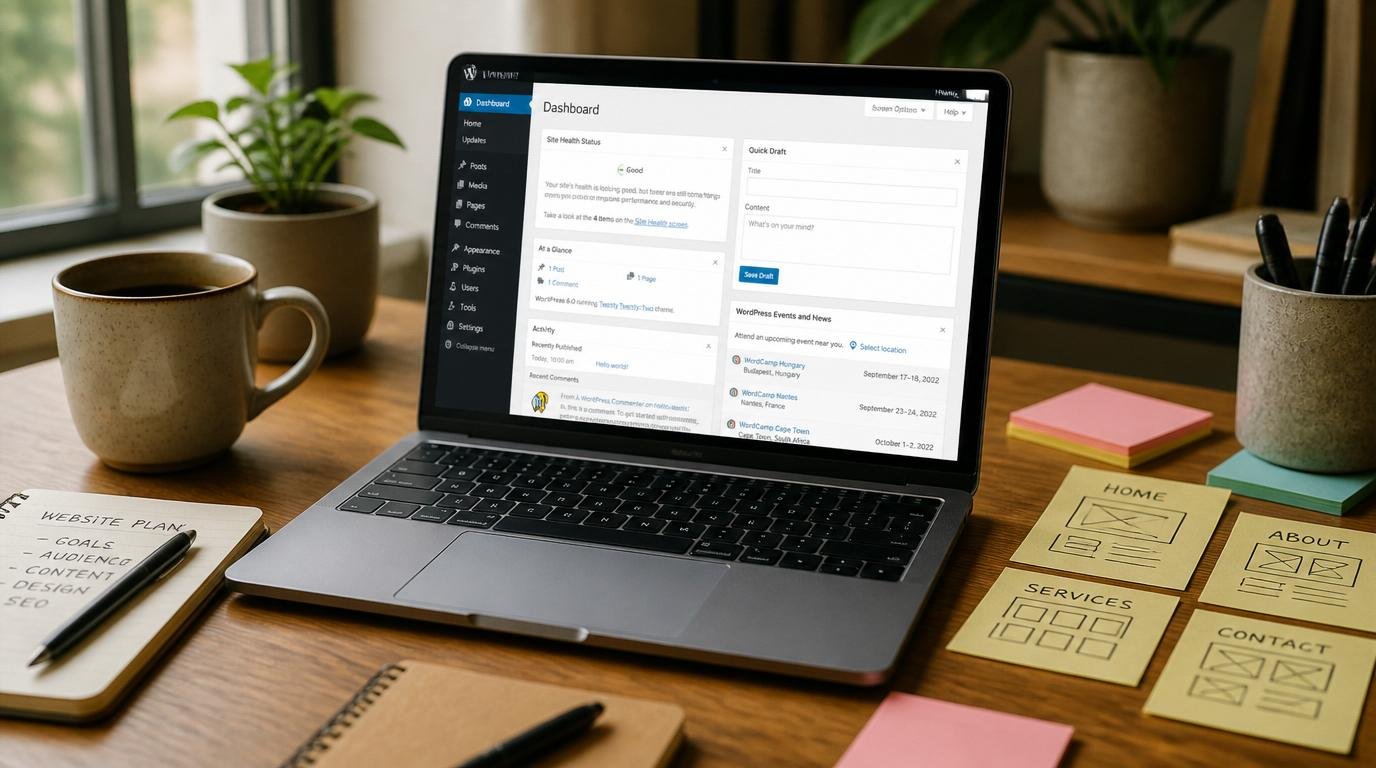
WordPress.org (self-hosted — not WordPress.com) powers over 43% of all websites on the internet. That market share means thousands of plugins, themes, and tutorials exist for exactly the challenges you’ll face. When something breaks at 2 AM, someone on a WordPress forum has already solved it.
Most hosting providers offer one-click WordPress installation. Click it. Then immediately do these three things that 80% of beginners skip:
- Change your permalink structure to “Post Name” (Settings → Permalinks). This creates clean, keyword-friendly URLs instead of ugly strings of numbers. You cannot easily change this later without breaking every link on your site.
- Delete the default “Hello World” post and sample page. Google will index these, and they make your site look abandoned.
- Set your timezone and site title. Your site title appears in browser tabs and search results. Make it count.
If this is genuinely your first time touching WordPress, I’d suggest reading through the step-by-step affiliate marketing guide I put together — it covers the WordPress installation phase with screenshots.
Theme Selection and the Only Plugins You Actually Need
I need to say something that might sting: your theme choice barely matters. Not aesthetically — I mean strategically. Readers care about your content. Google cares about your speed, structure, and content. Nobody has ever abandoned a purchase because a blog used GeneratePress instead of Astra.
Pick a lightweight, fast theme. My shortlist for a WordPress affiliate site:
- GeneratePress (free version is excellent, premium is $59 one-time)
- Astra (free version handles 90% of use cases)
- Kadence (free, with a solid block-based header/footer builder)
Now, plugins. This is where beginners go absolutely wild and install 30 plugins that conflict with each other and tank their site speed. Here are the only plugins you need at launch — IMO, everything else is a distraction:
- Rank Math SEO (or Yoast) — handles meta titles, descriptions, XML sitemaps, and schema markup
- WP Super Cache or LiteSpeed Cache — makes your pages load faster, which directly affects rankings
- ThirstyAffiliates or Pretty Links — manages, cloaks, and tracks your affiliate links from one dashboard
- Site Kit by Google — connects Google Analytics 4 and Search Console in one interface
- Wordfence — basic security to prevent your site from getting hacked before it earns a dime
That’s it. Five plugins. You can add more later when you have specific, real problems to solve — not imaginary ones.
Your First 10 Posts: The Content Strategy That Builds Momentum
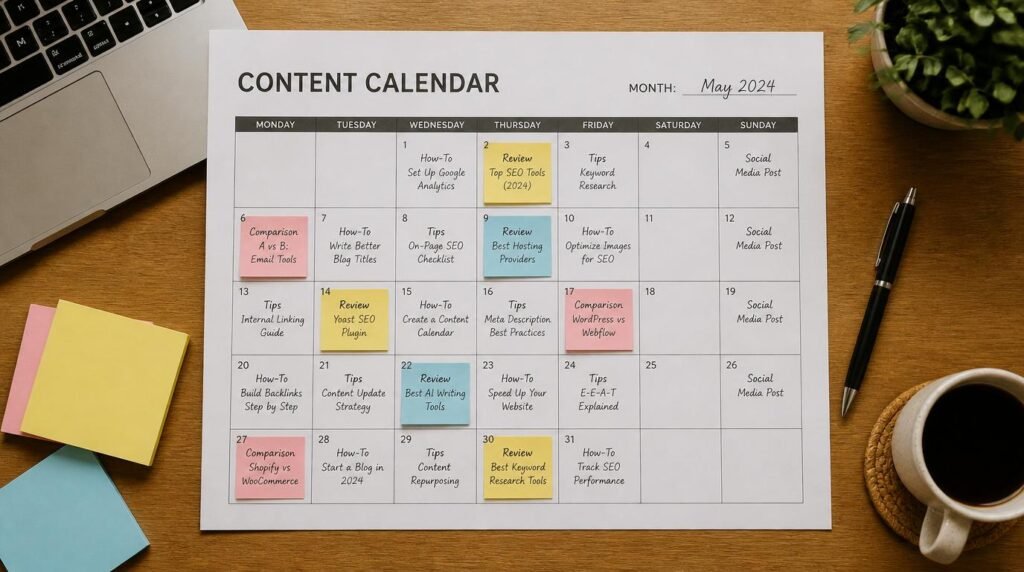
Here’s where your affiliate site setup either gains escape velocity or stalls permanently. Most beginners publish 3 random articles, check their analytics daily for two weeks, see zero traffic, and quit. Don’t be that person.
Your first 10 posts should follow a deliberate ratio I’ve tested across multiple affiliate sites:
- 5 informational “how-to” or “what is” articles targeting low-competition, long-tail keywords (these build topical authority and attract organic traffic first)
- 3 product comparison or “best of” roundup posts (these carry your affiliate links and convert readers into buyers)
- 2 “problem-solution” posts that address specific pain points your audience Googles at 1 AM (these build trust and email subscribers)
Every single post should target one primary keyword and 2-3 secondary keywords. Use Google’s “People Also Ask” boxes and autocomplete suggestions to find these — they’re free and directly reflect what real humans search for. TBH, I’ve built entire content calendars using nothing but autocomplete and a spreadsheet.
Before you write a word, though, make sure you understand how affiliate marketing works from scratch — the content strategy only makes sense when you see how content, links, and commissions connect.
Affiliate SEO Fundamentals Most Beginners Ignore
Can you guess the single most common SEO mistake on brand-new affiliate websites? It’s not missing meta descriptions or slow page speed (though those matter). It’s targeting keywords that are way too competitive.
A brand-new domain has zero authority. Google’s algorithm evaluates your site’s trustworthiness based on hundreds of signals, and a site that’s existed for 3 weeks has almost none of them. Trying to rank for “best laptops 2025” when your site has 8 posts is like entering a boxing ring with Mike Tyson because you watched a YouTube tutorial on punching.
Here’s the affiliate SEO approach that actually works for new sites:
- Target keywords with a Keyword Difficulty (KD) score under 20. Tools like Ubersuggest, Ahrefs, or even free options like Keyword Surfer show this metric.
- Write longer, more thorough content than whatever currently ranks on page one. If the top result is 800 words, write 1,500 — but only if every word adds genuine value.
- Build internal links between your own posts aggressively. Every new article should link to at least 2-3 existing articles on your site. This distributes authority and helps Google understand your site’s topical structure.
- Submit your XML sitemap to Google Search Console within the first 24 hours of publishing. Don’t wait for Google to “discover” you — tell Google you exist.
Google’s own SEO Starter Guide remains one of the best free resources for understanding what the search engine actually wants. I re-read it every six months. It’s surprisingly candid. https://www.youtube.com/embed/xrRpHKn0cns
Expert Commentary: This walkthrough from Income School breaks down the exact content structure and keyword targeting approach that works for brand-new affiliate sites with zero backlinks. It’s worth watching specifically for the “response post” framework they explain around the 4-minute mark — I used that same method to get my first page-one ranking within 60 days.
Link Tracking: How to Prove Your Affiliate Links Actually Work
This is the section most guides skip entirely, and it’s the one that matters most to you right now. Because the real anxiety behind building your first affiliate site isn’t “will I pick the right theme?” — it’s “how do I know any of this is working?”
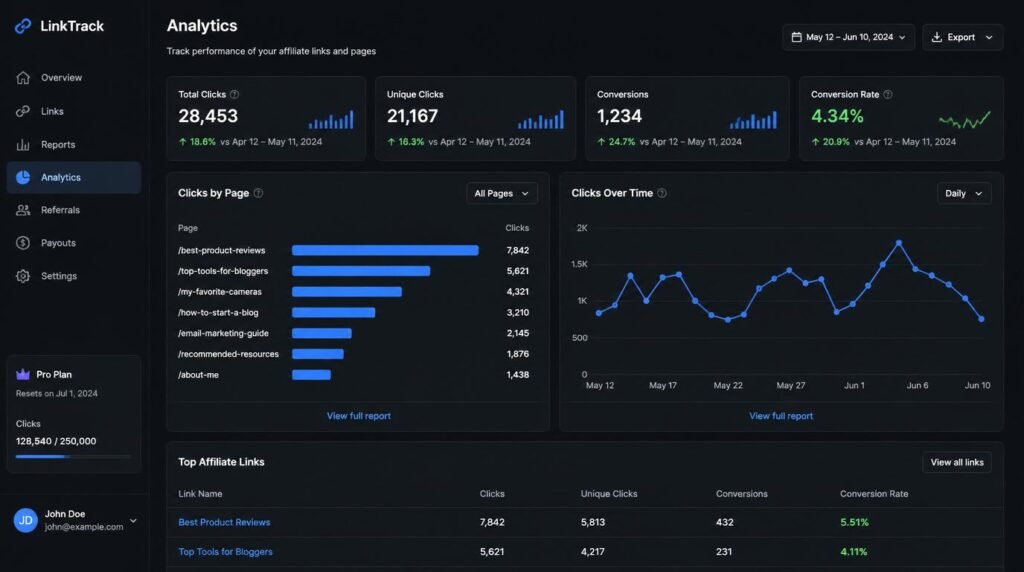
Let me be direct: if you’re not tracking your affiliate link clicks from day one, you’re flying blind. You’ll have no idea which posts drive clicks, which products interest your readers, or whether your links are even functioning properly. I once had a broken Amazon affiliate link on my highest-traffic page for six weeks before I noticed. That’s revenue I’ll never recover.
Here’s my exact tracking stack for a new affiliate website:
- ThirstyAffiliates (or Pretty Links): Cloaks your ugly affiliate URLs into clean, branded links (e.g., yoursite.com/recommend/product-name). More importantly, it logs every click with timestamps, referral pages, and IP data.
- Google Analytics 4: Set up custom events to track outbound affiliate link clicks. GA4 actually has a built-in “outbound click” event — most beginners don’t realize it’s already collecting this data.
- Affiliate network dashboards: Amazon Associates, ShareASale, Impact — every network shows you clicks and conversions. Cross-reference these with your own tracking data weekly.
Here’s a non-obvious tip from years of doing this: check your link click-through rate (CTR) by post, not just total clicks. A post getting 500 visitors and 3 clicks has a different problem than a post getting 20 visitors and 3 clicks. The first post needs better call-to-action placement. The second post needs more traffic. Same metric, completely different fix. 🙂
The Biggest Myth Beginners Believe About Affiliate Websites
“I need traffic before I add affiliate links.”
I hear this constantly, and it’s completely backward. Your affiliate links should be embedded in your content from the very first post. Here’s why: Google indexes your content once (initially), and updating posts later to add links doesn’t guarantee a re-crawl or a ranking boost. More practically, the 47 visitors who read your post in month one deserve the same product recommendations as the 4,700 who read it in month eight.
The real concern behind this myth is usually “I don’t want to look salesy with no audience.” I respect that instinct — but there’s a massive difference between helpful product recommendations woven into genuinely useful content and a site that’s just a wall of affiliate links with thin paragraphs glued between them. Google’s helpful content system explicitly rewards content written for humans first. Write for humans. Include affiliate links where they naturally serve the reader. Do both from day one.
If you’re still mapping out your overall strategy, the start here page at Affiliates Haven walks through the full beginner affiliate marketing journey in sequence.
Frequently Asked Questions
How much does it cost to set up your first affiliate website?
A basic first affiliate website setup costs between $50 and $150 per year. This covers a domain name ($10–$15/year), shared hosting ($3–$7/month), and a free WordPress theme. You can add premium tools later once your site earns revenue, but you absolutely do not need them on day one.
Do I need coding skills to build an affiliate website?
No. WordPress powers over 43% of all websites on the internet, and it requires zero coding knowledge. Between the block editor and free page builder plugins, you can create a professional-looking affiliate blog setup without writing a single line of code. Most beginners publish their first post within 48 hours of starting.
How long before my affiliate site starts making money?
Most affiliate sites take 3 to 6 months to see their first commission, and 8 to 14 months to generate consistent income. Google needs time to index and trust new domains. The biggest factor is how consistently you publish high-quality, keyword-targeted content during those early months.
What is the best platform for a beginner affiliate marketing website?
WordPress.org (self-hosted) is the best platform for beginner affiliate marketing. It gives you full control over your content, SEO settings, and monetization. Unlike Wix or Squarespace, WordPress lets you install specialized affiliate plugins, customize your site structure for SEO, and scale without platform restrictions.
How do I know if my affiliate links are actually working?
Install a link tracking plugin like Pretty Links or ThirstyAffiliates to monitor every click on your affiliate URLs. Pair this with Google Analytics 4 to track which pages drive the most clicks. Most affiliate networks also provide their own dashboard with click and conversion data, so cross-reference both sources weekly.
Should I pick a niche before setting up my affiliate website?
Yes — always choose your niche before buying a domain or setting up hosting. Your niche determines your domain name, site structure, content strategy, and which affiliate programs you join. Picking a niche first prevents the costly mistake of rebranding later when you realize your topic is too broad or unprofitable.
My Top Recommended Gear
These are the tools I actually use (or have extensively tested) for building and managing affiliate websites. I’m not listing 47 options — just the three that make the biggest difference when you’re starting out.
- Logitech MX Keys Wireless Keyboard — When you’re writing 2,000+ word articles regularly, a quality keyboard isn’t a luxury. This one has a comfortable key travel, connects to multiple devices, and has held up through two years of daily content production for me.
- LG 27-Inch 4K USB-C Monitor — A second screen (or a bigger primary screen) dramatically speeds up content creation. I keep my WordPress editor on one side and keyword research tools on the other. The 4K resolution makes reading analytics dashboards much easier on the eyes.
- Moleskine Classic Large Notebook — Ngl, I plan every content calendar, site structure, and launch strategy by hand before I touch a keyboard. Something about physically writing out your niche map and article ideas forces clearer thinking than any digital tool I’ve tried.
Disclaimer: This post contains affiliate links. As an Amazon Associate, I may earn a commission from qualifying purchases at no additional cost to you. I only recommend products I’ve personally tested or rigorously researched.
Niche → offer → SEO cluster → Pinterest pins → first clicks. No fluff.